

Tagada
Tagada parses Gmail into sentences for local highlighting and tagging, keeping your data private and replies fast.
product Details
Explore More
Alternatives

About Tagada
Tagada is a browser extension designed to fundamentally improve how professionals read, organize, and reply to emails within Gmail. Unlike traditional email workflows that often involve manually inserting colored text into original messages or switching between multiple applications, Tagada provides a streamlined, structured approach directly inside your existing Gmail interface. The core value proposition is transforming incoming emails into a set of clickable, selectable sentences. Users can then highlight these sentences, tag them by predefined categories, and automatically generate a clean reply template built around the selected points. This process eliminates the need to mentally parse long threads and manually construct responses, saving significant time and reducing cognitive load. Tagada is ideal for professionals, support teams, freelancers, consultants, and anyone managing complex or lengthy email conversations. A critical differentiator is its commitment to privacy: all processing happens locally on your device. No data is sent to the cloud, no AI models are used, and no third-party servers are involved. This ensures that your sensitive email content remains completely under your control. By keeping everything local and working seamlessly within Gmail, Tagada offers a powerful yet simple solution for clearer, faster, and more organized email communication.
Features
Instant Email Parsing into Selectable Sentences
Tagada automatically breaks down incoming Gmail messages into individual, clickable sentences. This parsing occurs instantly upon opening an email, presenting the content in a structured, manageable format. Instead of reading through dense paragraphs or long bullet points, users are presented with discrete units of information. This feature makes it easy to quickly identify and focus on the most critical parts of a message, whether it is a specific question, a key data point, or an action item. The parsed view simplifies complex emails, allowing users to process information more efficiently before crafting their reply.
One-Click Highlighting and Tagging by Category
Once an email is parsed, users can highlight any sentence with a single click. These highlighted sentences can then be tagged into predefined categories, such as "Action Item," "Question," "Important," or "To Follow Up." This organizational feature allows users to visually categorize and prioritize different parts of a conversation. By tagging key sentences, users create a structured summary of the email's core content. This eliminates the need for mental notes or external to-do lists, ensuring that nothing important is overlooked when composing a response. The visual categorization makes it easy to see at a glance what needs attention.
Auto-Generated Reply Templates from Selections
After highlighting and tagging the relevant sentences, Tagada automatically generates a clean reply template. This template is built exclusively around the points the user has selected, organizing them into a coherent structure for the response. The generated draft includes the tagged sentences as clear reference points, allowing the user to address each one systematically. This feature dramatically reduces the time spent on email composition by providing a structured starting point. Users can then edit and personalize the template, ensuring their reply is comprehensive, well-organized, and directly addresses all important aspects of the original message without the risk of missing key details.
100% Local and Private Processing
A core architectural principle of Tagada is that all email processing occurs entirely on the user's local device. The extension does not send any email content, parsed data, or user interactions to any external server, cloud service, or third-party AI provider. There is no data transmission outside of the user's own computer. This means that sensitive information, confidential business communications, and personal data remain strictly within the user's control and never leave the Gmail environment. This zero-data-exfiltration approach provides a significant security advantage, especially for professionals handling sensitive information, and eliminates concerns about data privacy or unauthorized access.
Use Cases
Streamlining Customer Support Email Replies
Customer support teams often handle complex, multi-issue emails from customers. Tagada allows a support agent to quickly parse a customer's long message, highlight each distinct issue or question, and tag them (e.g., "Billing," "Technical," "Account"). The auto-generated reply template then provides a structured draft where the agent can address each tagged point sequentially. This ensures no customer concern is missed, responses are comprehensive, and the support process becomes significantly faster and more organized, leading to higher customer satisfaction and reduced handling time.
Managing Complex Project Updates and Feedback
Consultants and project managers frequently receive dense emails containing status updates, feedback, and action items from multiple stakeholders. Tagada enables them to dissect these emails, highlighting critical deadlines, specific feedback points, and assigned tasks. By tagging these elements (e.g., "Deadline," "Feedback," "Action Item"), they create a clear, visual summary of the email. The generated reply template then helps them craft a structured response that confirms understanding, addresses feedback, and outlines next steps, ensuring clear communication and accountability across the project team.
Organizing Freelance Client Communications
Freelancers often juggle multiple clients with varying project scopes and instructions. When a client sends a long email with new requirements, revisions, or questions, Tagada helps the freelancer break it down. They can highlight and tag specific sentences related to scope changes, new deliverables, or approval requests. The auto-generated reply allows them to create a professional, point-by-point response that confirms their understanding of each request. This reduces the risk of miscommunication, saves time on drafting emails, and helps maintain a high level of professionalism and clarity with each client.
Efficiently Handling Executive Inbox Management
Executives and their assistants receive a high volume of lengthy, information-rich emails daily. Tagada can be used to quickly scan and parse these messages, identifying key decisions, critical updates, and flagged issues. An assistant can highlight and tag sentences for the executive's attention (e.g., "Decision Needed," "For Review," "Urgent"). The generated reply template can then be used to draft a summary response or to delegate tasks, ensuring that the executive's time is spent on high-priority items and that all important information is captured and acted upon efficiently.
Pricing
Tagada is available with a free tier that provides limited functionality for users to evaluate the product. For a full, unrestricted experience that includes unlimited highlighting, tagging, and auto-generated reply templates, a paid license is required. Specific pricing details for the paid license plans and tiers can be found on the official Tagada website. The extension offers a flexible model to accommodate both individual users and teams, ensuring you can choose the option that best fits your needs and budget.
Frequently Asked Questions
Is Tagada free to use?
Tagada offers a free tier that allows you to use the extension with limited functionality. This is a great way to test the core features and see how it fits your workflow. For an unrestricted experience with full access to all features, such as unlimited highlighting, tagging, and template generation, we recommend purchasing a license. The paid license removes these limitations and provides the complete Tagada experience.
What data does Tagada collect from me?
We prioritize your privacy and collect only the minimal essential data required to enhance your experience. This includes your first name, email address (for account management and license validation), and your language preference for the interface. We do not collect any content from your emails, your browsing history, or any other personal information. We respect your privacy and are transparent about the very limited data we handle.
Does Tagada send my emails to its servers?
No, absolutely not. This is a core principle of Tagada. Your emails are never sent to our servers or any third-party service. All processing, including parsing, highlighting, and template generation, happens entirely on your own device. Your data remains local and under your complete control. We ensure that your private communications stay private.
What should I do if an email appears broken or disorganized when using Tagada?
Some emails may have a very complex or unusual structure that the extension cannot parse correctly. If you encounter an email that appears corrupted or disorganized, the best solution is to temporarily disable the Tagada extension in your browser. You can then reply to the email using the standard Gmail interface. After you have finished, you can re-enable the extension. This will not affect your other emails, and Tagada will continue to work normally on future messages.
Similar to Tagada

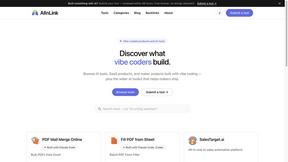
AIInLink
It offers a directory of innovative AI solutions and useful resources, helping makers ship their projects and users find cutting-edge AI applications.
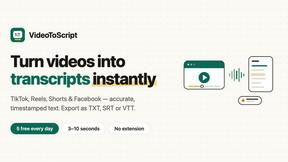
VideoToScript
Turn TikTok, Reels, Shorts, Facebook videos, audio, and video into accurate timestamped transcripts with TXT, SRT, and VTT exports.

Screen Beaver
Create product videos manually or let your AI agent control Screen Beaver through MCP—no mouse or keyboard needed.
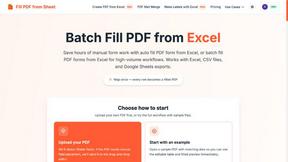
Fill PDF from Sheet
Fill PDF from Sheet automates the process of populating PDF forms from data in Excel, CSV, or Google Sheets.


Create PDF from Excel
Create PDF from Excel online and preview every page before downloading. Fit wide sheets, repeat headers, and combine workbooks privately.
