

Alternatives to Tagada
Tagada parses Gmail into sentences for local highlighting and tagging, keeping your data private and replies fast.
Explore 20 alternatives to Tagada. Compare features, pricing, and find the best fit for your needs.


AIInLink
It offers a directory of innovative AI solutions and useful resources, helping makers ship their projects and users find cutting-edge AI applications.

VideoToScript
Turn TikTok, Reels, Shorts, Facebook videos, audio, and video into accurate timestamped transcripts with TXT, SRT, and VTT exports.

Screen Beaver
Create product videos manually or let your AI agent control Screen Beaver through MCP—no mouse or keyboard needed.

Fill PDF from Sheet
Fill PDF from Sheet automates the process of populating PDF forms from data in Excel, CSV, or Google Sheets.


Create PDF from Excel
Create PDF from Excel online and preview every page before downloading. Fit wide sheets, repeat headers, and combine workbooks privately.



Wisegrid
Wisegrid helps project-driven teams manage projects, workflows, resources, and reporting in a familiar spreadsheet-style workspace with dashboards, au


Postqued
Schedule and publish social content across 10 platforms with one dashboard, API, and MCP built for teams and AI agents.
Mydentify
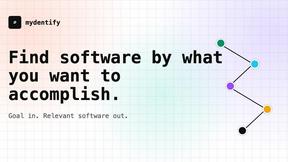
Find software by the job you need done, with source-backed comparisons and product research.
ihatepdf.cv
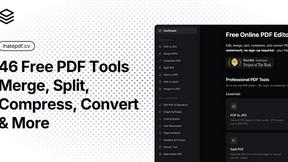
ihatepdf.cv is a privacy-first, browser-based PDF platform that provides an extensive suite of tools for editing, converting, compressing, organizing,

TeamSlide
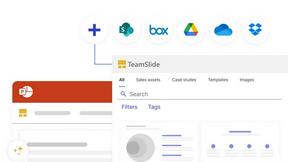
TeamSlide lets your team build on-brand presentations instantly by syncing approved slides from your content system directly into PowerPoint.
readywhen
readywhen automatically captures your decisions and commitments from tools you already use, then drafts your next steps so you just approve.

Caesura
Caesura is a macOS menu-bar app that reminds you to drink water, stretch, rest your eyes, and breathe on science-backed intervals.

Vibeworker
Vibeworker uses AI to instantly score every new Upwork job against your profile and strategy, sending you only the best matches.
About Tagada Alternatives
Tagada is a browser extension designed to enhance productivity within Gmail, falling into the category of email management and workflow optimization tools. It distinguishes itself by parsing incoming emails into clickable, selectable sentences, allowing users to highlight, tag, and categorize key points directly within their inbox. Because all processing happens locally on the user's machine, it offers a unique value proposition for those concerned with data privacy, as no email content is ever sent to the cloud or third-party servers. Users commonly look for alternatives to Tagada for several reasons, including differing pricing models, the need for more advanced collaboration features, or a desire for deeper integration with other platforms like CRM systems or project management software. Others may require AI-powered drafting capabilities or a different approach to email organization, such as full-thread summarization rather than sentence-level parsing. When choosing an alternative, it is important to evaluate how the tool handles data privacy, whether it offers the specific categorization and tagging flexibility you need, and if it integrates smoothly with your existing email workflow without introducing significant friction or a steep learning curve.
FAQs about Tagada Alternatives
What is Tagada?
Tagada is a browser extension that transforms how you read and reply to emails in Gmail. It parses incoming emails into clickable sentences you can highlight, tag, and organize by category in a single click. The tool then generates a clean reply template built around the points that matter, helping you respond faster and more clearly.
Who is Tagada for?
Tagada is ideal for professionals, support teams, freelancers, consultants, and anyone managing long email threads. It is specifically designed for users who need to structure their replies, cut down response time, and keep their data fully private while working directly inside Gmail.
Is Tagada free?
Based on the product description, Tagada operates as a browser extension with specific features for parsing, highlighting, tagging, and generating reply templates. While the provided content does not specify a pricing model, users should check the official Tagada website or extension store page for the most current information on whether it offers a free tier, trial period, or requires a paid subscription.
Is Tagada secure?
Yes, Tagada is designed with security and privacy as core features. All processing is done 100% locally on your machine, meaning no AI, no cloud, and no third-party servers are involved. Your email data is never sent to any external service, making it a secure choice for professionals handling sensitive information.