

Caption.IM
Caption.IM converts any Mac audio into real-time captions, translations, and summaries with privacy-focused local processing.
product Details
Explore More
Alternatives

About Caption.IM
Caption.IM is a privacy-first, real-time AI captioning assistant built exclusively for macOS. It transforms any audio from your computer into live subtitles, instant translations, recordings, and structured meeting summaries, all processed locally on your device. Unlike browser extensions or meeting bots that require integration into specific platforms, Caption.IM captures system audio directly, enabling it to work across nearly any application you use. This includes popular video conferencing tools like Zoom, Google Meet, and Microsoft Teams, as well as media sources such as YouTube, online courses, podcasts, livestreams, webinars, and recorded videos. The product is designed for a wide audience, including remote workers, online learners, multilingual teams, accessibility advocates, content creators, researchers, and students. Its core value proposition lies in combining powerful AI-driven transcription and translation capabilities with a strong commitment to user privacy. By leveraging local processing and Local LLMs, Caption.IM ensures that your conversations never leave your Mac, eliminating the need for intrusive bots or cloud dependencies. The result is a seamless, elegant, and highly productive tool that turns any spoken content into searchable, translatable, and actionable knowledge instantly.
Features
Real-Time Transcription
This feature generates live captions for any audio source on your Mac, including meetings, videos, podcasts, and phone calls. The transcription engine is optimized for Apple Silicon, delivering ultra-fast speech recognition with minimal latency and efficient power usage. Captions appear in a floating subtitle window that overlays your screen, ensuring you never miss a word during important conversations or presentations.
Instant Translation
Caption.IM provides real-time translated subtitles for multilingual content. Whether you are participating in a global meeting with team members speaking different languages or watching a foreign language video, this feature allows you to understand the content immediately. The translation engine works seamlessly alongside the transcription system, displaying both the original text and its translation in the floating window.
Floating Subtitle Window
The application features an elegant, transparent overlay that works seamlessly with macOS. This floating window can be positioned anywhere on your screen and is designed to be non-intrusive, allowing you to focus on your primary task while still having access to live captions. The window is fully customizable and integrates smoothly with the macOS desktop environment.
AI Meeting Summaries
After any conversation or meeting, Caption.IM can automatically generate structured summaries, key points, action items, and even mind maps. This feature transforms long discussions into clear, actionable insights, saving you time and ensuring you never miss critical information. The summaries are generated locally, maintaining the privacy of your discussions.
Use Cases
Remote Meetings and Video Conferencing
Professionals working from home or in hybrid environments can use Caption.IM to generate live subtitles for Zoom, Google Meet, and Microsoft Teams calls. This ensures that every participant, regardless of hearing ability or language proficiency, can follow the conversation. The AI meeting summaries also provide a record of decisions and action items, improving team productivity.
Online Learning and Education
Students and educators can benefit from real-time captions during online courses, lectures, and webinars. The floating subtitle window makes it easy to follow complex material, while the recording and summary features help with note-taking and revision. This is particularly valuable for students with hearing impairments or those learning in a non-native language.
Multilingual Team Collaboration
In global organizations where team members speak different languages, Caption.IM bridges the communication gap. The instant translation feature allows participants to understand each other in real time, fostering better collaboration and reducing misunderstandings. This is ideal for international project teams, customer support, and cross-border negotiations.
Content Creation and Research
Content creators, journalists, and researchers can use Caption.IM to transcribe interviews, podcasts, and video footage quickly. The ability to generate searchable text and structured summaries from audio files streamlines the editing and research process. This feature also helps in repurposing content for different formats, such as turning a video podcast into a blog post.
Pricing
The application is available as a free download with in-app purchases. Subscriptions automatically renew unless canceled at least 24 hours before the end of the current billing period. Specific pricing tiers and plan details are available within the application or on the developer's website. For more information, please refer to the Privacy Policy and Terms of Use linked from the app.
Frequently Asked Questions
Does Caption.IM work with all applications on my Mac?
Yes, Caption.IM captures system audio directly, which means it works across nearly any application that produces sound. This includes video conferencing tools like Zoom, Google Meet, and Microsoft Teams, as well as web browsers for YouTube, online courses, and podcasts. It is not limited to specific platforms or browser extensions.
Is my data private when using Caption.IM?
Absolutely. Caption.IM is built with a privacy-first approach. All speech recognition and processing can run locally on your device using local AI and Local LLMs. Your conversations and audio data never leave your Mac, ensuring complete confidentiality. No bots join your meetings, and there is no cloud dependency.
What are the system requirements for Caption.IM?
Caption.IM is designed exclusively for macOS and is optimized for Apple Silicon (M1, M2, M3, and later chips). The application requires macOS 15.6 or later. It is a lightweight application with a size of 18.1 MB, and it uses local processing to deliver fast performance with minimal latency.
Can I use Caption.IM for languages other than English?
Yes, Caption.IM supports multiple languages for both transcription and translation. The instant translation feature allows you to understand content in various languages in real time. The application is designed to help multilingual teams and individuals communicate effectively across language barriers.
Similar to Caption.IM
tallycounterweb.com
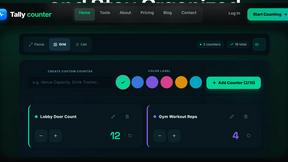
Tally Counter is a simple online counting tool for tracking attendance, workouts, inventory, sports scores, visitors, and everyday activities.

iHatePosting
Create once, tailor for each platform, and schedule posts across 14 social networks from one simple dashboard.

Video2URL
Turn videos, images, and files into secure direct links for sharing, embedding, and automated workflows.

PDFWix
PDFWix is a free online PDF toolkit designed to make everyday PDF tasks simple, fast, and private.
PDFKing
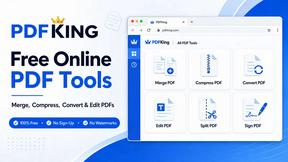
Free online PDF tools to merge, compress, convert, edit, sign, and manage documents—no signup, watermarks, or daily limits.


