

Alternatives to Caption.IM
Caption.IM converts any Mac audio into real-time captions, translations, and summaries with privacy-focused local processing.
Explore 20 alternatives to Caption.IM. Compare features, pricing, and find the best fit for your needs.

tallycounterweb.com
Tally Counter is a simple online counting tool for tracking attendance, workouts, inventory, sports scores, visitors, and everyday activities.

iHatePosting
Create once, tailor for each platform, and schedule posts across 14 social networks from one simple dashboard.

Video2URL
Turn videos, images, and files into secure direct links for sharing, embedding, and automated workflows.

PDFWix
PDFWix is a free online PDF toolkit designed to make everyday PDF tasks simple, fast, and private.
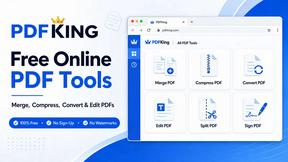
PDFKing
Free online PDF tools to merge, compress, convert, edit, sign, and manage documents—no signup, watermarks, or daily limits.



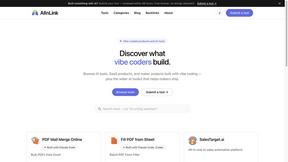
AIInLink
It offers a directory of innovative AI solutions and useful resources, helping makers ship their projects and users find cutting-edge AI applications.
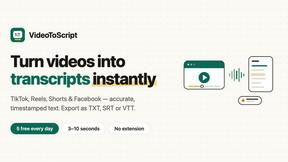
VideoToScript
Turn TikTok, Reels, Shorts, Facebook videos, audio, and video into accurate timestamped transcripts with TXT, SRT, and VTT exports.
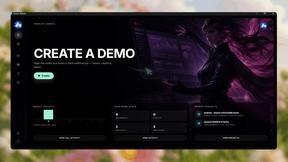
Screen Beaver
Create product videos manually or let your AI agent control Screen Beaver through MCP—no mouse or keyboard needed.

Fill PDF from Sheet
Fill PDF from Sheet automates the process of populating PDF forms from data in Excel, CSV, or Google Sheets.


Create PDF from Excel
Create PDF from Excel online and preview every page before downloading. Fit wide sheets, repeat headers, and combine workbooks privately.



Wisegrid
Wisegrid helps project-driven teams manage projects, workflows, resources, and reporting in a familiar spreadsheet-style workspace with dashboards, au


Postqued
Schedule and publish social content across 10 platforms with one dashboard, API, and MCP built for teams and AI agents.

About Caption.IM Alternatives
Caption.IM is a productivity tool specifically designed for macOS that provides real-time AI-powered captioning, translation, and summarization of audio content. It falls under the category of productivity and management software, as it helps users capture information from meetings, lectures, and media more efficiently. While it offers a robust, privacy-first solution by processing everything locally on the device, users often seek alternatives for several reasons. These include a need for cross-platform compatibility with Windows or Linux, a preference for different pricing structures, a requirement for more advanced editing or collaboration features, or simply a desire to avoid the macOS-only limitation. Understanding that Caption.IM works by capturing system audio directly without browser extensions is key, but not every user’s workflow or operating system aligns with this approach. When evaluating alternatives to Caption.IM, it is crucial to consider several core factors. First, assess the platform compatibility to ensure the tool works on your specific operating system and integrates seamlessly with your most-used applications like Zoom, Teams, or web browsers. Second, evaluate the privacy and security model—whether processing happens locally on your device or in the cloud is a significant differentiator for sensitive conversations. Third, look at the feature set beyond basic captioning, such as the quality of real-time translation, the accuracy of summarization, and the ability to export notes in structured formats like action items or mind maps. Finally, consider the pricing model and whether it offers a free tier, a one-time purchase, or a subscription that fits your budget. By focusing on these criteria, you can find a tool that matches your specific needs for accessibility, productivity, and information management.
FAQs about Caption.IM Alternatives
What is Caption.IM?
Caption.IM is a privacy-first AI captioning assistant designed specifically for macOS. It captures system audio directly to provide real-time captions, instant translations, recordings, and structured meeting notes across various applications. Unlike browser extensions or meeting bots, it works locally on your device without needing to join meetings as a participant.
Who is Caption.IM for?
Caption.IM is ideal for macOS users who need to improve productivity and accessibility during meetings, lectures, webinars, or while consuming media. It serves professionals who frequently use video conferencing tools like Zoom, Google Meet, or Microsoft Teams, as well as students, researchers, and content consumers who want real-time subtitles and summaries. It is particularly valuable for individuals who prioritize privacy and want to avoid cloud-based processing.
Is Caption.IM free?
The provided content does not specify a pricing model, so it is best to check the official Caption.IM website for the most current information on free tiers, trial periods, or subscription plans. Many similar tools offer a limited free version or a one-time purchase option, but this is not confirmed for Caption.IM based on the description alone.
What are the main features of Caption.IM?
Caption.IM offers real-time AI captions for any audio on your Mac, including live subtitles for conversations and multilingual content translation. It also includes audio recording capabilities and can transform discussions into structured summaries, key points, action items, and mind maps. All processing is done locally on the device to ensure privacy, and it works across almost any application, such as Zoom, YouTube, and podcasts.