

Alternatives to Very Good Calendar Sync
Very Good Calendar Sync effortlessly aligns your work, personal, and client calendars while keeping your privacy intact.
Explore 20 alternatives to Very Good Calendar Sync. Compare features, pricing, and find the best fit for your needs.
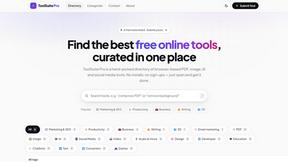
My Tools Suite Pro
Discover the best free online tools with ToolSuite Pro. Explore AI, productivity, marketing, SEO, writing, business, and software tools in one place.

Greatooly
Greatooly is a curated directory of small, useful apps — discover focused tools for art, learning, money, health, travel and everyday life.
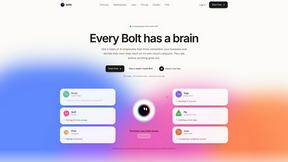
Bolts
AI employees with a brain that think, remember your business and work 24/7 on their own cloud computers.
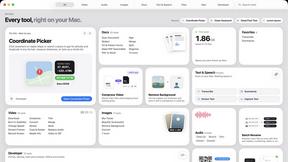
Toolbox
96 private Mac tools in one app: compress video, sign PDFs, remove backgrounds, transcribe. Offline, no account, pay once.

Safe Outreach
AI-powered platform that evaluates the safety of LinkedIn automation tools and helps reduce the risk of account restrictions.
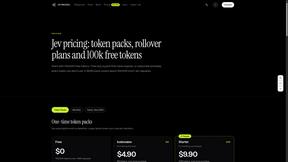
JevModel
Run the Jev decision model in your browser: 3 live runs without signup, then 100,000 free tokens, plus a Jev API.

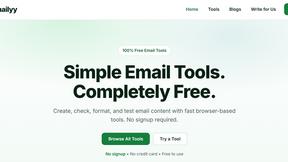
Emailyy
Free email tools for signatures, subject lines, HTML previews, word counts, and email headers. Browser-based, simple to use, and no signup required.
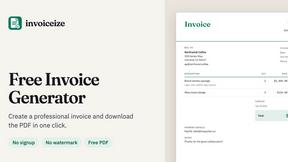
Invoiceize
Free invoice generator with live preview and PDF download for freelancers and small businesses.
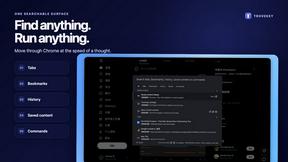
TroveKey
Search tabs, Chrome bookmarks and history, run browser commands, and save webpages and social posts locally—no account.

Uniclip
Clip pages, take full-page screenshots and batch-capture list data to Notion, Feishu, Obsidian, Markdown, CSV or JSON.
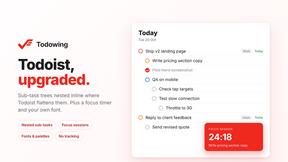
Todowing
Chrome extension that nests Todoist sub-tasks inline in Today, Upcoming, Boards, Filters, and Labels, where Todoist flattens them.
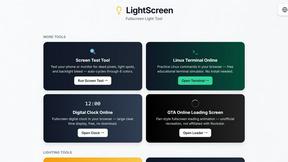
LightScreen
Free light screen tool online. Turn any display into a flashlight, ambient light, or solid-color screen. No download or sign-up.

FreeVideoGenerator
Free AI video generator: turn text prompts and photos into video clips with Sora 2, Veo 3.1, Wan and more. Free starter credits, no watermark download
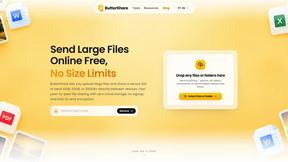
ButterShare
ButterShare is a browser-based peer-to-peer file transfer tool that lets you send large files and folders directly between devices without signup or c
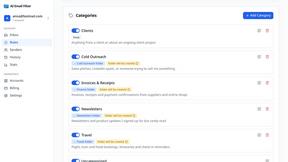
AI Email Filter
AI Email Filter sorts incoming mail into folders using plain-language prompts you write. Works with any IMAP mailbox; bring your own LLM if you want.
About Very Good Calendar Sync Alternatives
Very Good Calendar Sync is a specialized application designed to streamline the process of calendar management by allowing users to synchronize multiple calendars seamlessly. Falling under the category of productivity and management tools, this app addresses the common issue of juggling various calendars, ensuring that changes made in one calendar are automatically reflected in others without the need for constant manual checks. Users often seek alternatives to Very Good Calendar Sync for several reasons, including pricing, feature sets, or compatibility with specific platforms. When looking for an alternative, it’s essential to consider factors such as ease of use, the level of privacy offered, the range of synchronization options available, and whether the solution aligns with your specific calendar needs. Choosing the right alternative to Very Good Calendar Sync requires careful evaluation of various features and user preferences. Look for solutions that maintain a high level of data security, especially if you value privacy and confidentiality. Additionally, consider how well the alternative integrates with different calendar platforms, as well as the flexibility it offers in terms of syncing options and customization. A thorough assessment of user reviews and support services can also help in making an informed decision, ensuring that the chosen tool effectively enhances your productivity without adding complexity to your calendar management.
FAQs about Very Good Calendar Sync Alternatives
What is Very Good Calendar Sync?
Very Good Calendar Sync is an application designed to synchronize multiple calendars effortlessly. It allows users to keep their calendars perfectly aligned by automatically reflecting changes made in one calendar to others in real-time. This app is particularly useful for individuals managing various schedules, ensuring a hassle-free calendar experience.
Who is Very Good Calendar Sync for?
Very Good Calendar Sync is ideal for a variety of users, including consultants managing client calendars, employees balancing work and personal commitments, freelancers juggling multiple projects, and anyone who finds themselves overwhelmed by calendar chaos. Its features cater to those who need a reliable tool to maintain organization in their scheduling.
Is Very Good Calendar Sync free?
Very Good Calendar Sync is a paid application, which provides users with a robust set of features for calendar synchronization. While it may not be free, the investment is often justified by the convenience and efficiency it brings to calendar management. Users can evaluate the features offered to determine if it meets their needs before purchasing.
What are the main features of Very Good Calendar Sync?
The main features of Very Good Calendar Sync include automatic synchronization of calendars, control over what gets synchronized, and the ability to customize synchronization settings such as specific weekdays and daily hours. Importantly, the app ensures that users' calendar data remains private and secure, as it operates solely on the user's Mac without transmitting information externally.