

Alternatives to ProcessSpy
ProcessSpy is an advanced macOS process monitor with real-time filtering, detailed tree views, and powerful JavaScript filters.
Explore 15 alternatives to ProcessSpy. Compare features, pricing, and find the best fit for your needs.


Screen Beaver
Create product videos manually or let your AI agent control Screen Beaver through MCP—no mouse or keyboard needed.


xDevTools
Over 1000 free web tools for developers: formatters, encoders, crypto, finance, images, and more. Runs locally.

Ornold
Ornold MCP lets AI agents control Chromium and antidetect browsers: click, type, read screens, record workflows, replay profiles without scripts.

AIQualityHQ
AIQualityHQ instantly analyzes AI prompts across six dimensions to deliver deterministic scores and actionable fixes, all in your browser.
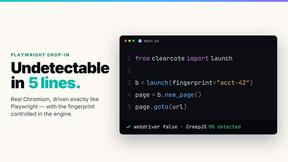
Clearcote
Clearcote is an open-source, de-Googled Chromium drop-in for Playwright and Puppeteer that gives you engine-level fingerprint control for a single.

JustLaunched
JustLaunched helps indie makers schedule product launches, reach buyers, and blast across curated SaaS directories.

Buildlist
Buildlist lets you instantly generate a complete SaaS directory listing using any AI API key, streamlining discovery and launch.

Push My App
Push My App generates search-optimized metadata, screenshots, and rejection scans then submits directly to Apple and Google from one dashboard.

MCPize
MCPize is a marketplace where developers discover and install premium MCP servers with unified billing while publishers earn 80% revenue.

act101
act101 is a native Rust binary that gives AI coding agents 163 grammars and 183 AST operations to refactor and port code securely on your machine.

BoltShot
Capture high-quality screenshots of any URL instantly with BoltShot's ultra-fast API, perfect for developers and marketers.
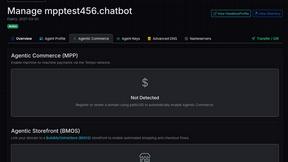
Headless Domains
Headless Domains provides AI agents with secure, verifiable identities for trust and seamless transactions across platforms and marketplaces.
LoadTester
LoadTester is a modern HTTP and API load testing tool that lets engineering teams run distributed performance checks from a browser or CI/CD pipeline.
About ProcessSpy Alternatives
ProcessSpy is an advanced process monitoring utility designed specifically for macOS, falling into the developer and power-user tool category. It serves as a comprehensive alternative to the built-in Activity Monitor, providing deep system insights by visualizing process hierarchies, inspecting open files and sockets, and displaying environment variables. This level of detail is essential for developers debugging applications, system administrators troubleshooting performance issues, and advanced users seeking to understand precisely what is running on their Mac. Users may seek alternatives to ProcessSpy for various reasons, including budget constraints, specific feature requirements not covered by the tool, or a need for cross-platform compatibility that extends beyond macOS. When evaluating other options, it is crucial to consider the depth of process information provided, such as the ability to view detailed process trees and real-time resource usage. Security and privacy are also paramount, ensuring the tool itself is trustworthy and does not introduce vulnerabilities. Ultimately, the right alternative should balance powerful functionality with an interface that matches the user's technical proficiency and workflow needs.
FAQs about ProcessSpy Alternatives
What is ProcessSpy?
ProcessSpy is an advanced process monitoring and exploration tool built for macOS. It acts as a native, more powerful alternative to the standard Activity Monitor, designed to reveal detailed system information that is typically hidden. The tool provides deep insights into running applications and system processes, allowing users to visualize process trees, inspect open files and network connections, and view environment variables. Its core purpose is to offer developers and power users unparalleled visibility into their Mac's operations.
Who is ProcessSpy for?
ProcessSpy is primarily designed for developers, system administrators, and technically proficient Mac users. It is ideal for software developers who need to debug applications, monitor resource usage, or understand process dependencies. System administrators can leverage it to diagnose performance bottlenecks, manage system resources, and terminate unresponsive or problematic processes. Any advanced user who wants to move beyond the basic information provided by Activity Monitor will find its detailed insights invaluable.
What are the main features of ProcessSpy?
The main features of ProcessSpy focus on providing deep system visibility and control. It excels at visualizing hierarchical process trees, showing the parent-child relationships between all running applications and services. Users can inspect the exact files and network sockets each process has open, which is critical for debugging. Additionally, it displays the complete environment variables for any selected process and provides the ability to forcefully terminate even the most stubborn, unresponsive applications instantly.
Why choose ProcessSpy over the built-in Activity Monitor?
Users choose ProcessSpy over the native Activity Monitor because it reveals a significantly deeper layer of system information. While Activity Monitor provides a surface-level overview of CPU and memory usage, ProcessSpy allows you to see the complete process tree, inspect every open file and network connection per process, and examine environment variables. This granular data is essential for serious troubleshooting, application development, and security analysis, making it the tool of choice when basic monitoring is insufficient.