

Alternatives to Caesura
Caesura is a macOS menu-bar app that reminds you to drink water, stretch, rest your eyes, and breathe on science-backed intervals.
Explore 20 alternatives to Caesura. Compare features, pricing, and find the best fit for your needs.

MyType FYI
Explore your visual type through ten free rounds of fictional faces, with optional portraits, posters and five-second videos.

Greatooly
Greatooly is a curated directory of small, useful apps — discover focused tools for art, learning, money, health, travel and everyday life.

Bicep Heart
Turn one photo into a 7-second bicep heart video with outdoor, standing or seated scenes and a silent vertical MP4.
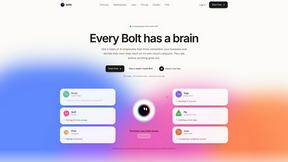
Bolts
AI employees with a brain that think, remember your business and work 24/7 on their own cloud computers.
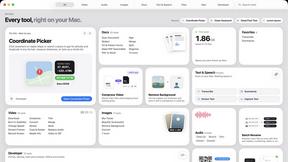
Toolbox
96 private Mac tools in one app: compress video, sign PDFs, remove backgrounds, transcribe. Offline, no account, pay once.

Safe Outreach
AI-powered platform that evaluates the safety of LinkedIn automation tools and helps reduce the risk of account restrictions.

Outstanding Tiny Desk AI
Upload photos of you and up to 4 friends and get a 15-second Outstanding Tiny Desk AI video with AI-generated sound, in 9:16 for TikTok and Reels.

Tip Toeing in My Jordans
Put your photo in the viral Rumpelstiltskin tip toe meme and get a 12-second AI video. Free 2-second preview, no sign-up.

JevModel
Run the Jev decision model in your browser: 3 live runs without signup, then 100,000 free tokens, plus a Jev API.


Emailyy
Free email tools for signatures, subject lines, HTML previews, word counts, and email headers. Browser-based, simple to use, and no signup required.
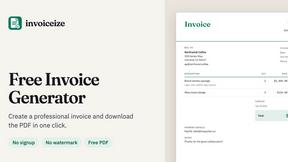
Invoiceize
Free invoice generator with live preview and PDF download for freelancers and small businesses.

TroveKey
Search tabs, Chrome bookmarks and history, run browser commands, and save webpages and social posts locally—no account.

Uniclip
Clip pages, take full-page screenshots and batch-capture list data to Notion, Feishu, Obsidian, Markdown, CSV or JSON.

Bloom
An adaptive AI tutor that turns topics or your materials into courses, lessons, and answers tailored to how you learn.

Todowing
Chrome extension that nests Todoist sub-tasks inline in Today, Upcoming, Boards, Filters, and Labels, where Todoist flattens them.

LightScreen
Free light screen tool online. Turn any display into a flashlight, ambient light, or solid-color screen. No download or sign-up.

FreeVideoGenerator
Free AI video generator: turn text prompts and photos into video clips with Sora 2, Veo 3.1, Wan and more. Free starter credits, no watermark download

About Caesura Alternatives
Caesura is a macOS menu-bar application that falls within the Health and Productivity categories, designed specifically for individuals who spend extended hours working at a desk. Its primary function is to serve as a calm break manager, providing gentle reminders to drink water, stretch, rest your eyes, check your posture, and breathe, all on independent schedules. Users commonly seek alternatives to Caesura for several reasons, including the desire for a different pricing model, such as a permanent one-time purchase instead of a subscription, or the need for cross-platform support beyond macOS. Others may look for more robust features like detailed analytics, integration with other productivity tools, or a more customizable notification system that fits their specific workflow. When evaluating alternatives to a tool like Caesura, it is essential to consider the core value proposition: reducing interruptions while promoting health. Look for solutions that offer independent scheduling for different types of breaks, as this prevents a single reminder from becoming overwhelming. Additionally, consider the application’s approach to notification delivery—the ideal alternative will coalesce overlapping reminders into a single, gentle nudge to avoid breaking your focus. Finally, assess the platform compatibility, privacy policy, and whether the software requires an account or internet connection, as a clutter-free, offline experience is often a key priority for desk workers.
FAQs about Caesura Alternatives
What is Caesura?
Caesura is a calm macOS menu-bar break manager designed for people who spend long days at a desk. It functions as a digital wellness tool that reminds you to drink water, walk, stretch your wrists, rest your eyes, check your posture, and breathe. Each reminder operates on its own independent schedule, and when two reminders fall close together, Caesura coalesces them into one gentle break to avoid interrupting you twice in a row.
Who is Caesura for?
Caesura is for anyone working long hours at a desk, particularly professionals such as developers, writers, designers, and remote workers who use a Mac. It is designed for individuals who want to maintain their physical health and focus during long work sessions without being overwhelmed by constant notifications. The app is especially suited for users who prefer a minimalist, no-account-required tool that integrates directly into the macOS menu bar.
Is Caesura free?
Caesura offers a free 14-day trial, allowing users to test all of its features before committing to a purchase. After the trial period, a paid license is required to continue using the app. The pricing model is designed to be straightforward with no hidden fees, and the app does not require any user accounts or subscriptions for the trial period.
What are the main features of Caesura?
The main features of Caesura include independent scheduling for six different break types: drinking water, walking, stretching wrists, resting eyes, checking posture, and breathing. The app intelligently coalesces overlapping reminders into a single, gentle break to prevent multiple interruptions. It operates entirely from the macOS menu bar with no clutter, no accounts, and no complex setup, providing timely nudges that help maintain health without breaking your focus.