

Sprite-AI
Sprite-AI generates pixel-perfect game sprites from text prompts in seconds, no drawing skills required.
product Details
Explore More
Alternatives

About Sprite-AI
Sprite-AI is an AI-powered pixel art generator designed specifically for indie game developers, hobbyists, and prototypers who need high-quality 2D assets quickly. The platform allows users to describe a sprite in plain English, and the AI produces a clean, game-ready pixel art image in sizes of 32x32, 64x64, or 128x128 pixels. These sprites are correctly sized for their intended role, whether that be icons, items, characters, or hero and boss art. Once a sprite is generated, a built-in pixel editor provides essential tools like paint, erase, fill, and color-pick, enabling users to fine-tune every pixel before exporting. The final output is a transparent PNG file that drops straight into popular game engines such as Unity, Godot, GameMaker, and Unreal. The platform also includes a community gallery for inspiration, prompt guides to help users craft better descriptions, and a token-based pricing model so users only pay for what they generate. With over 100,000 sprites already generated, Sprite-AI removes the barrier of artistic skill, allowing anyone with a creative vision to produce game-ready assets in seconds. This tool is built for speed, simplicity, and integration, making it an essential resource for rapid game development and prototyping.
Features
AI-Powered Sprite Generation from Text Descriptions
The core feature of Sprite-AI is its ability to transform plain English descriptions into pixel art sprites. Users simply type what they imagine, such as "fire-breathing dragon, red scales" or "knight with sword and shield," and the AI interprets the request to generate a clean, game-ready sprite. This eliminates the need for any drawing skills, allowing developers to focus on game design rather than asset creation. The AI understands context and produces sprites that are appropriately sized for different roles, from small icons to detailed hero art.
Built-In Pixel Editor for Fine-Tuning
Once a sprite is generated, users have access to a comprehensive pixel editor that includes tools for painting, erasing, filling areas, and color-picking. This editor allows for precise adjustments to every pixel, ensuring the final asset matches the user's exact vision. The intuitive interface feels like magic, enabling quick tweaks to colors, details, and overall composition. This feature bridges the gap between AI generation and manual artistry, giving users full control over their assets before export.
Flexible Export Options for Game Engine Compatibility
Sprite-AI supports exporting sprites as transparent PNG files in multiple resolutions, including 32x32, 64x64, and 128x128 pixels. These files are optimized to drop directly into major game engines like Unity, Godot, GameMaker, and Unreal without additional processing. The transparent background ensures seamless integration into any game environment, saving developers significant time on asset preparation and format conversion.
Community Gallery and Prompt Guides
The platform includes a community gallery where users can browse thousands of generated sprites for inspiration and ideas. This gallery showcases the diversity of what can be created, from cute slime monsters and medieval knights to pixel art cameras and magic wands. Additionally, Sprite-AI provides prompt guides that help users craft more effective descriptions, leading to better and more accurate sprite generations. These resources support both new and experienced users in maximizing the tool's potential.
Use Cases
Rapid Prototyping for Indie Game Development
Indie game developers often need to test game mechanics and level designs quickly, but creating art assets from scratch can be time-consuming. Sprite-AI enables rapid prototyping by generating sprites in seconds from simple text descriptions. A developer working on a fantasy RPG can generate a "medieval knight with silver armor" or a "wizard staff with magical crystal" instantly, allowing them to focus on gameplay loops and user experience without waiting for custom art. This accelerates the iteration cycle and helps teams validate concepts faster.
Creating Asset Packs for Game Jams
Game jams require participants to produce a complete game in a very short timeframe, often 48 to 72 hours. Sprite-AI is an ideal tool for these events, as it can generate entire asset packs quickly. A participant can describe a set of characters, items, and icons, such as "cute slime monster green and blue" or "flaming sword icon with orange flames," and have all assets ready for import into their chosen game engine within minutes. This allows jam participants to dedicate more time to coding and game design.
Generating Placeholder Art for Early Development Stages
During the early stages of game development, teams often use placeholder art to test functionality and layout before commissioning final assets. Sprite-AI provides a fast and efficient way to generate these placeholders. A developer working on a platformer can generate a "ninja with spiky yellow hair and a katana" as a temporary player character sprite. These placeholders are visually appealing and game-ready, making them far more useful than simple colored boxes or stick figures for internal testing and team presentations.
Producing Themed Icon and Item Sets for Mobile Games
Mobile game developers frequently need large sets of icons and items for inventory systems, shops, or power-ups. Sprite-AI can generate consistent, themed sets of sprites from text descriptions. For example, a developer can create a series of magical items like "golden magic lamp with sparkles," "magic wand with star tip glowing," and "gold coin shiny pixel art" all in a uniform style. The ability to tweak individual sprites in the pixel editor ensures that the entire set maintains a cohesive look, which is crucial for professional mobile game aesthetics.
Pricing
Sprite-AI offers three subscription plans designed to accommodate different levels of usage. The Starter plan, priced at $5 per month, is intended for hobbyists and game jams, providing 8 game-ready sprites per month. The Creator plan, currently available at a 38% discount for $8 per month (regularly $13), is aimed at indie developers shipping real games and includes 20 sprites per month, PNG and SVG export options, private asset storage, and uncensored generations. The Studio plan, also at a 38% discount for $24 per month (regularly $39), is designed for teams and serious production, offering 75 sprites per month and all Creator plan features. All plans include the ability to drop sprites directly into any game engine and share creations in the community gallery. The launch pricing is locked in forever for current subscribers and is available for only 386 out of 500 spots.
Frequently Asked Questions
What sizes of sprites can I generate with Sprite-AI?
Sprite-AI allows users to generate pixel art sprites in three standard sizes: 32x32, 64x64, and 128x128 pixels. These sizes are commonly used in 2D game development for different asset types. 32x32 sprites are ideal for small icons, items, or simple characters. 64x64 sprites work well for medium-sized characters and detailed items. 128x128 sprites are suited for hero characters, bosses, or large environmental assets. You can choose the size that best fits your game's resolution and pixel art style.
Can I edit the sprites after they are generated?
Yes, every sprite generated by Sprite-AI can be edited using the built-in pixel editor. This editor provides a full set of tools including paint, erase, fill, and color-pick functions. You can adjust individual pixels, change colors, fix details, or add new elements to the sprite. This feature ensures that you have complete creative control over the final asset, allowing you to refine the AI-generated output to match your exact vision before exporting it for use in your game engine.
What game engines are compatible with Sprite-AI exports?
Sprite-AI exports sprites as transparent PNG files, which are universally compatible with all major game engines. Specifically, the platform highlights compatibility with Unity, Godot, GameMaker, and Unreal Engine. The transparent background ensures that sprites can be dropped directly into these engines without any additional processing or format conversion. This compatibility saves developers significant time and eliminates the need for third-party image editing software to prepare assets for import.
How does the token-based pricing model work?
Sprite-AI operates on a token-based pricing model where users only pay for what they generate. There are three subscription plans available: Starter at $5 per month for 8 sprites, Creator at $8 per month for 20 sprites, and Studio at $24 per month for 75 sprites. Each plan provides a monthly allocation of tokens that can be used to generate sprites. Unused tokens do not roll over to the next month. The Creator and Studio plans are currently offered at a 38% discount as launch pricing, with a limited number of spots available at this rate.
Similar to Sprite-AI
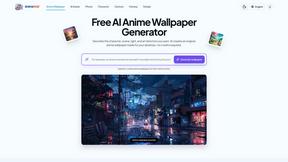
AnimeWall
Free AI anime wallpaper generator. Create original HD anime wallpapers and avatars from text prompts.
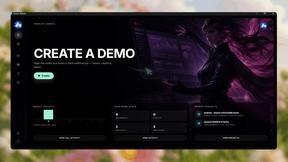
Screen Beaver
Create product videos manually or let your AI agent control Screen Beaver through MCP—no mouse or keyboard needed.


PerchanceAI
PerchanceAI is an AI creative studio for image generation, editing, background removal, product photos, and image-to-video creation.
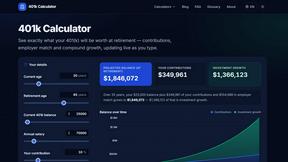
401k Calculator
401k Calculator.info is a free online tool to estimate retirement savings, employer match, and future 401(k) growth for smarter financial planning.
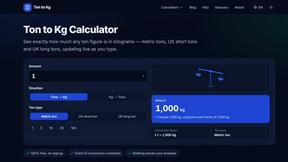
Ton to Kg Calculator
Ton To KG Calculator is a free online weight conversion tool that helps users instantly convert tons to kilograms with precision.

StopScroll
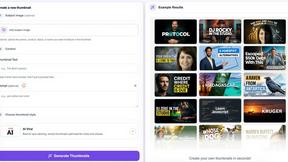
AI YouTube thumbnail maker that helps creators generate high-click thumbnails faster.