

Meme Library
Meme Library lets you save, organize, and instantly find any meme using text search inside images with backup and restore.
product Details
Explore More
Alternatives
About Meme Library
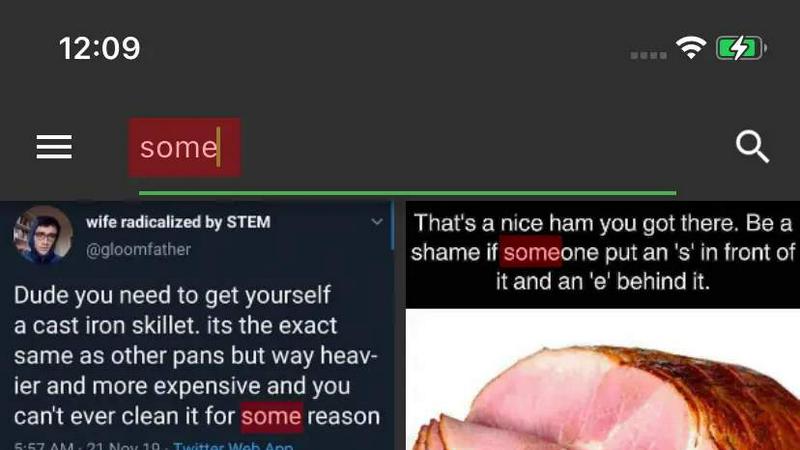
Meme Library is a dedicated mobile application designed to solve the common problem of losing or endlessly searching for memes across a cluttered camera roll. It functions as a private, searchable, and organized home for your entire meme collection. The core value proposition is simple: it transforms a chaotic collection of saved images into a usable, browsable, and instantly searchable library. The app allows users to save memes directly from their camera roll, popular social media platforms like Instagram and Reddit, or any browser via the share sheet. Once saved, the real power of Meme Library emerges through its unique text search capability. Users can search for memes by the actual text contained within the image, including captions, screenshots, and even screenshots of screenshots. This feature eliminates the need to scroll through hundreds of old images to find the perfect reaction. Meme Library is built for everyone who uses memes regularly, from casual texters who want the perfect GIF alternative to power users with thousands of niche jokes. It prioritizes privacy by design, keeping all memes stored locally on the device with no social feed, no forced sharing, and no tracking. Additionally, the app offers optional cloud backup and restore functionality, ensuring that a user's carefully curated collection remains safe when upgrading phones or reinstalling the app. It is a lightweight, ad-free, and clean solution focused entirely on fast recall and fast sharing.
Features
Text Search Inside Images
This is the flagship feature of Meme Library, utilizing Optical Character Recognition (OCR) technology to index and search for text within your saved images. When you save a meme, the app scans it for visible text, including captions, subtitles, reaction text, and even small text within screenshots. This means you can search for a specific phrase like "this is fine" or "expectation vs reality" and instantly locate the exact meme, regardless of when it was saved. This feature works exceptionally well even with screenshots of screenshots, ensuring that no meme is ever truly lost. It transforms your collection from a static image folder into a dynamic, searchable database.
Save From Anywhere
Meme Library integrates deeply with your device's operating system to provide a seamless saving experience from virtually any source. You can save memes directly from your camera roll or gallery app with a simple import. The app also supports the share sheet, which is the standard method for sharing content on mobile devices. This allows you to save memes directly from Instagram, Reddit, Twitter, TikTok, Discord, any web browser, or messaging apps like WhatsApp and Telegram. This universal save functionality ensures that building your collection is frictionless, requiring no extra steps or manual downloads. It captures the meme at the moment you find it.
Backup and Restore
Understanding that a meme collection is valuable and often curated over years, Meme Library provides a robust backup and restore system. This optional feature allows users to create secure, encrypted backups of their entire collection to the cloud. If you upgrade to a new phone, experience a device failure, or simply need to reinstall the app, you can restore your entire library with all tags, search indices, and organizational structure intact. This feature provides peace of mind and ensures that your collection is not tied to a single device. It is designed to be simple and reliable, making the transition between devices painless.
Private by Default
Meme Library is built on a foundation of user privacy. Unlike many social media or content-sharing apps, it operates entirely on a local-first model. All your memes, search data, and organizational metadata are stored exclusively on your device. There is no social feed, no public profile, no forced sharing, and no data collection for advertising or tracking purposes. The app does not require an account to function, and it never uploads your memes to a central server unless you specifically choose to use the backup feature. This approach ensures that your personal reaction images and niche jokes remain yours and yours alone.
Use Cases
Instant Reaction Retrieval for Messaging
The most common use case is finding the perfect reaction meme during a conversation. Instead of scrolling through your entire camera roll or searching through endless chat history, you can open Meme Library and search by the text on the meme. For example, if you need a meme that says "I have no idea what I'm doing," you can type that phrase into the search bar and instantly find the exact image. This dramatically speeds up response times in group chats, making conversations more engaging and fun. It eliminates the frustration of knowing you have the perfect meme but being unable to find it quickly.
Organizing Niche Joke Collections
Many meme enthusiasts collect highly specific, niche jokes that are hard to find online. Meme Library allows these users to organize their collections into a single, searchable vault. Whether it is a collection of programming memes, historical jokes, academic humor, or fandom-specific content, the app provides a dedicated space for them. The text search feature is particularly useful here, as many niche memes rely on specific catchphrases or inside jokes. Users can save memes over months and years, knowing they can always find them later with a simple text query.
Archiving Screenshots and Captions
Beyond traditional image macros, Meme Library is excellent for archiving screenshots that contain important or funny text. This includes screenshots of tweets, Instagram captions, TikTok comments, or even screenshots of text conversations. Users can save these as memes and then search for them by the text they contain. For example, a user might save a screenshot of a hilarious tweet and later search for the author's handle or a key phrase from the tweet. This transforms the app into a general purpose text-searchable image archive.
Safe Collection Migration Between Devices
For power users who frequently upgrade phones or switch devices, Meme Library provides a critical safety net. The backup and restore feature ensures that a carefully curated collection of thousands of memes is not lost during a device transition. A user can back up their entire library before switching phones, then restore it on the new device with all search indices intact. This is particularly valuable for users who have spent years building a collection of reaction images, niche jokes, and personal favorites. It removes the anxiety associated with losing a digital collection.
Frequently Asked Questions
How does the text search feature work?
Meme Library uses Optical Character Recognition (OCR) technology to analyze the text visible within each image you save. When you save a meme, the app scans it for any text characters. This scanned text is then indexed and stored locally on your device. When you perform a search, the app matches your query against this indexed text. It works on any text within the image, including captions, subtitles, screenshots, and small text. The search is performed entirely on your device, ensuring privacy.
Is my data safe and private?
Yes, Meme Library is designed with a privacy-first approach. By default, all your memes, search data, and organizational information are stored solely on your device. The app does not require you to create an account, and it does not upload your memes to any server unless you explicitly choose to use the optional backup feature. There is no social feed, no forced sharing, and no tracking or advertising data collection. Your meme collection remains completely private and under your control.
Can I save memes from social media apps?
Yes, Meme Library is designed to save memes from anywhere on your device. The most common method is using the share sheet, which is the standard sharing mechanism on iOS and Android. When you find a meme on Instagram, Reddit, Twitter, TikTok, or any other app, you can simply tap the share button, select Meme Library from the list of options, and the image will be saved directly to your collection. You can also import memes directly from your device's camera roll or gallery.
What happens if I get a new phone or reinstall the app?
If you want to keep your collection safe across devices, you can use the optional Backup and Restore feature. This allows you to create a secure backup of your entire meme library to the cloud. When you get a new phone or reinstall the app, you can easily restore your entire collection, including all memes, search indices, and organizational structure. This ensures that your carefully curated collection is not lost during a device transition. Without using the backup feature, your memes are stored only on your current device.
Similar to Meme Library
Novastart
Apps and files on an infinite canvas where people and AI agents work together.
ButterShare
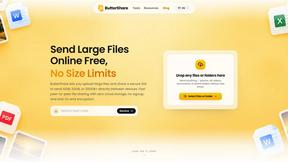
ButterShare is a browser-based peer-to-peer file transfer tool that lets you send large files and folders directly between devices without signup or c
AI Email Filter
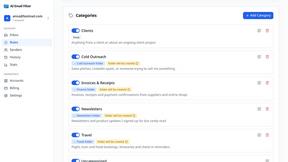
AI Email Filter sorts incoming mail into folders using plain-language prompts you write. Works with any IMAP mailbox; bring your own LLM if you want.

Product Launch Checklist
A free launch checklist for SaaS, apps, AI tools and more. Every step says why it matters and when you can skip it.
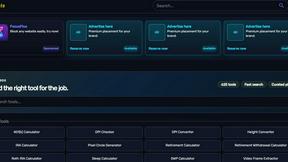
Kody Tools
Free collection of online developer utilities, code formatters, and digital converters designed to streamline your daily workflow.
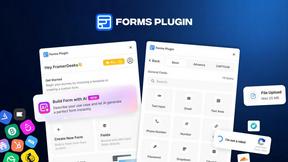
Forms Plugin
The #1 Native Form Builder Plugin for Framer - No Code, No Embeds, No External Platforms.


tallycounterweb.com
Tally Counter is a simple online counting tool for tracking attendance, workouts, inventory, sports scores, visitors, and everyday activities.