
NanoScene AI
NanoScene AI ensures character consistency across all scenes while generating, editing, and upscaling AI images from prompts in seconds.
product Details
Explore More
Alternatives
About NanoScene AI
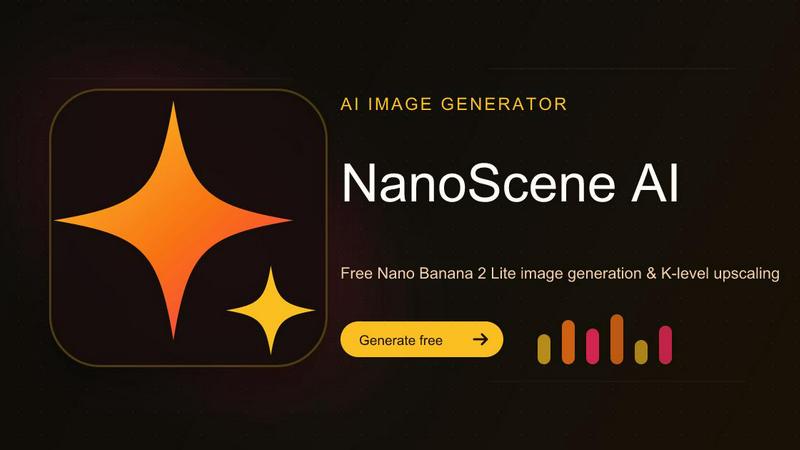
NanoScene AI is a browser-based creative tool designed to help makers, designers, and content creators turn ideas into shareable visuals quickly before inspiration fades. The platform addresses the common problem of losing creative momentum by providing an incredibly fast image generation workflow that moves from prompt to polished graphic in minutes. At its core, NanoScene AI offers a streamlined process: prompt, generate, refine, and export, all within the browser without requiring any software downloads or complex installations.
The product is built for early adopters who prioritize speed over complexity. Whether you are drafting a Product Hunt banner, testing multiple ad headlines with different backgrounds, or building a consistent character for a comic series, NanoScene AI provides the tools to iterate rapidly. The default engine, Nano Banana 2 Lite, is specifically tuned for speed and volume, producing images in approximately 4 seconds at native 1K resolution across 14 aspect ratios. This makes rapid iteration practical and efficient.
Beyond raw generation, NanoScene AI handles the messy middle of creative work. Users can remove backgrounds in one click, edit details without starting over, and upload reference images to lock in faces, outfits, or art styles across multiple outputs. Every image is tracked in a built-in asset library so nothing gets lost in downloads folders. The platform supports multiple AI models including Nano Banana, Qwen, Seedream, Flux, GPT, Grok, Pruna, and Krea, giving users flexibility in their creative approach. Pricing is straightforward with a free tier to start, and users pay for credits when they need more volume or premium models, with no hidden subscriptions required to try the product.
Features
Lightning Fast Generation with Nano Banana 2 Lite
The default engine, Nano Banana 2 Lite, is optimized for speed and volume, generating images in approximately 4 seconds at native 1K resolution. This engine supports 14 different aspect ratios, making it practical for rapid iteration. Users can generate ten variations, pick two winners, upscale them to production quality, and ship their final visuals without waiting for slow rendering times.
One Click Background Removal
NanoScene AI includes a one click background removal feature that allows users to isolate subjects from their backgrounds instantly. This eliminates the need for manual masking or third party editing software. The feature integrates directly into the workflow so users can clean up images and prepare them for compositing, product placement, or social media graphics without leaving the platform.
Reference Image Based Consistency
Users can upload reference images to lock in specific elements like faces, outfits, or art styles across multiple outputs. This feature is essential for maintaining character consistency in comic series, brand identity in marketing campaigns, or visual coherence in product lines. The system preserves the key visual attributes from the reference while allowing creative variation in other aspects of the generated image.
Built in Asset Library and Tracking
Every image generated through NanoScene AI is automatically tracked in a built in asset library. This eliminates the common problem of losing files in downloads folders or struggling to find previous versions. Users can browse, organize, and retrieve any image they have created, making it easy to revisit past work, compare variations, or export final versions for publishing.
Use Cases
Product Hunt Banner and Launch Graphics
Makers preparing for a Product Hunt launch can rapidly generate multiple banner variations to test different headlines, color schemes, and visual styles. With the 4 second generation time, users can create ten different banner concepts, select the two most effective designs, upscale them to production quality, and have their launch graphics ready in under an hour. The background removal feature also helps isolate product shots for clean presentations.
Social Media Ad Testing and Optimization
Marketers and content creators can test three different ad headlines with distinct backgrounds to see which combination performs best. The rapid iteration capability allows for A/B testing of visual concepts before committing to a final design. Users can generate variations with different color palettes, compositions, and text placements, then export the winners for use across social media platforms like Instagram, Facebook, and Twitter.
Comic Series Character Development
Artists and writers building a consistent character for a comic series can use the reference image feature to lock in a specific face, outfit, and art style across multiple panels and scenes. This ensures visual continuity throughout the narrative while allowing for different poses, expressions, and backgrounds. The asset library helps organize character sheets, scene variations, and final panels for easy access during the creative process.
Product Photography and E Commerce Visuals
E commerce entrepreneurs can generate product images with different backgrounds, remove existing backgrounds for clean product shots, and create consistent visual styles across their entire product catalog. The ability to upscale images to production quality ensures that final exports meet the resolution requirements for online marketplaces, print catalogs, and promotional materials without additional editing software.
Pricing
NanoScene AI offers a straightforward pricing structure designed for flexibility. Users can start with a free tier that provides access to the basic generation capabilities of the Nano Banana 2 Lite engine. When users need more volume or access to premium AI models, they can purchase credits on demand. There are no hidden subscriptions or recurring fees required to try the product. The platform also offers a 50% discount promotion for early adopters, making it even more accessible for makers and creators who want to explore the full capabilities of the tool without a significant upfront investment.
Frequently Asked Questions
How fast does NanoScene AI generate images?
The default engine, Nano Banana 2 Lite, generates images in approximately 4 seconds at native 1K resolution. This speed applies across all 14 supported aspect ratios, making rapid iteration practical for users who need to generate multiple variations quickly. The fast generation time is a core feature designed to keep creative momentum going without waiting for slow rendering.
What AI models are available in NanoScene AI?
NanoScene AI supports multiple AI models including Nano Banana, Qwen, Seedream, Flux, GPT, Grok, Pruna, and Krea. Each model offers different strengths in terms of style, speed, and output quality. Users can select the model that best fits their specific creative needs, whether they require photorealistic portraits, artistic illustrations, or product visualizations.
Can I maintain character consistency across multiple images?
Yes, NanoScene AI includes a reference image feature that allows users to upload images to lock in specific elements like faces, outfits, or art styles. This ensures visual consistency when generating multiple images for a series, such as comic panels, marketing campaigns, or product lines. The system preserves key attributes while allowing creative variation in other aspects.
Is there a free tier available or do I need a subscription?
NanoScene AI offers a straightforward pricing model where users can start for free and pay for credits when they need more volume or access to premium models. There are no hidden subscriptions required to try the product. This allows new users to explore the platform and its features before committing to a paid plan, making it accessible for casual creators and professionals alike.
Similar to NanoScene AI
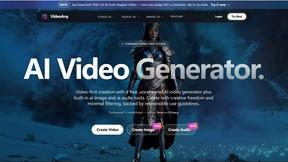
FreeVideoGenerator
Free AI video generator: turn text prompts and photos into video clips with Sora 2, Veo 3.1, Wan and more. Free starter credits, no watermark download
AIPetGen
AIPetGen turns a photo of your dog, cat, or other pet, or a written description, into a new picture or a short animation.
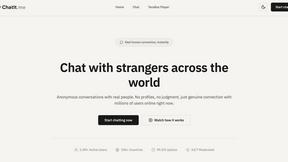
Chatit Me - Free Random Chat Alternative
Chat with random strangers online for free on ChatIt.me. Enjoy safe, anonymous, and instant 1-on-1 conversations with people worldwide
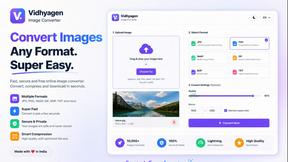
VidhyaGen
Fast, free, and privacy-focused online tool to convert image formats instantly without losing quality. Built for web users and creators.

Presentation Intelligence
AI-native presentation and visual content platform that turns prompts, documents, images, videos, and data into polished, shareable decks.
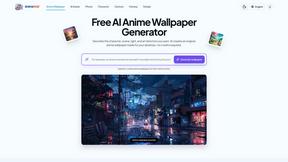
AnimeWall
Free AI anime wallpaper generator. Create original HD anime wallpapers and avatars from text prompts.
Screen Beaver
Create product videos manually or let your AI agent control Screen Beaver through MCP—no mouse or keyboard needed.