

Alternatives to NanoScene AI
NanoScene AI ensures character consistency across all scenes while generating, editing, and upscaling AI images from prompts in seconds.
Explore 20 alternatives to NanoScene AI. Compare features, pricing, and find the best fit for your needs.
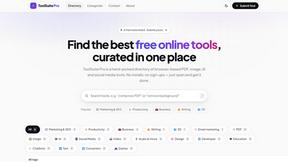
My Tools Suite Pro
Discover the best free online tools with ToolSuite Pro. Explore AI, productivity, marketing, SEO, writing, business, and software tools in one place.

MyType FYI
Explore your visual type through ten free rounds of fictional faces, with optional portraits, posters and five-second videos.
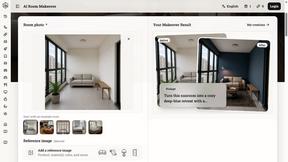
AI Room Makeover
Explore AI room makeovers and focused furniture, color or material changes from a photo of your existing space.
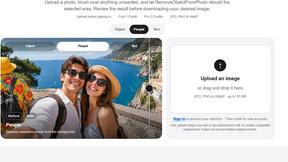
RemoveObjectFromPhoto
Remove unwanted objects, people, and text from photos with AI for clean, natural-looking results in seconds.
ImageGenerator
Create and edit AI images online with multiple models, text-to-image, image-to-image, background removal, and upscaling.
Dreamina AI
Make any images possible — generate, edit, and transform images with AI models like GPT Image and Gemini in seconds.
GenX
All-in-one AI workspace to generate images, videos, and audio with multiple leading AI models.
AiAgeFilter
Free AI age filter: upload an adult portrait, add 10-40 years, meet your older self. No app needed.
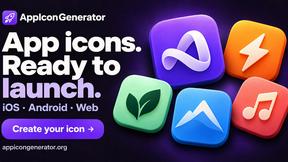
AppIconGenerator
Generate iOS and Android app icons from any image and export all platform sizes for free.
Dola AI
Create AI videos from text or images with Dola AI. Free starter credits, multiple video models, instant downloads, plus AI image generation.
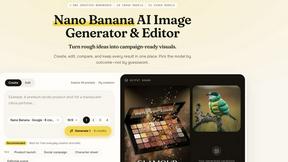
Nano AI
Create and edit AI images, generate videos, and compare models in one creative workbench.
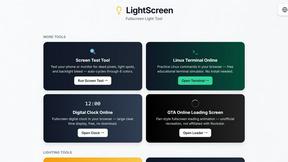
LightScreen
Free light screen tool online. Turn any display into a flashlight, ambient light, or solid-color screen. No download or sign-up.
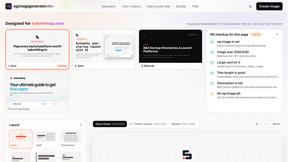
ogimagegenerator.dev
Paste a URL and AI designs on-brand Open Graph images from your page's colours, fonts and logo. Free, no sign-up.
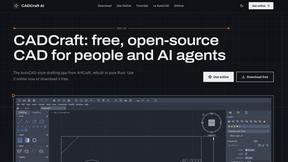
CADCraft
Free, open-source 2D CAD in Rust with layers, precision tools, and AI-ready MCP, JSON, and CLI automation.
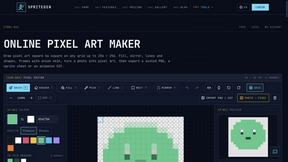
SpriteGen
Generate pixel-art sprite sheets for games with AI. Preview animations and export transparent PNGs. Free tries, then paid credits.

AI Clothes Changer
Free AI clothes changer online. Swap outfits and try on clothes from a photo in minutes — create a free account to start, no card required.
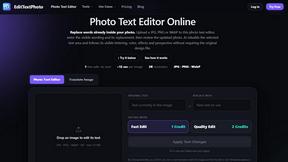
EditTextPhoto
AI-powered image text editor to edit, replace, fix, or translate text in images while preserving the original font, color, size, and style.
About NanoScene AI Alternatives
NanoScene AI is a browser-based image generation tool designed for creators who need to rapidly produce consistent visuals, particularly when maintaining the same character across multiple scenes. It falls under the categories of Design Tools and Image Generation, offering a streamlined workflow from prompt to export. The platform is built for speed, using its custom Nano Banana 2 Lite engine to deliver images at 1K resolution in roughly four seconds across 14 aspect ratios, making it ideal for iterative tasks like testing ad headlines or drafting social media banners. Users often seek alternatives to NanoScene AI for several reasons, including budget constraints related to its credit-based pricing model, a desire for more advanced editing capabilities or higher resolution outputs, or the need for native desktop applications rather than a browser-only experience. Some creators may require broader integration with other design software or specific features like advanced inpainting or video generation that NanoScene AI does not currently offer. When evaluating alternatives, it is important to consider the quality and speed of generation, the flexibility of character consistency tools, the availability of a free tier or trial, and whether the platform supports your preferred output formats and resolutions without hidden subscription requirements.
FAQs about NanoScene AI Alternatives
What is NanoScene AI?
NanoScene AI is a browser-based image generation tool that specializes in maintaining the same character across every scene. It allows users to generate, edit, and upscale AI images from text prompts in seconds, using its custom Nano Banana 2 Lite engine for fast output at native 1K resolution. The platform is designed for rapid iteration, enabling creators to produce ten variations, select the best ones, and upscale them to production quality without leaving the browser.
Who is NanoScene AI for?
NanoScene AI is built for early adopters and makers who value speed over complexity in their creative workflows. It is particularly suited for professionals drafting Product Hunt banners, testing multiple ad headlines with different backgrounds, or building a consistent character for a comic series. The tool is designed for anyone who needs to turn ideas into shareable visuals quickly, without being bogged down by complicated interfaces or slow processing times.
Is NanoScene AI free?
Yes, NanoScene AI offers a straightforward free tier that allows users to start generating images without any upfront cost. The platform uses a credit-based system where you pay for additional volume or access to premium models when needed. There are no hidden subscriptions required to try the product, making it accessible for users who want to test its capabilities before committing to a paid plan.
What are the main features of NanoScene AI?
NanoScene AI includes several key features designed to streamline image creation. Users can remove backgrounds with a single click, edit specific details without starting over, and upload reference images to lock in a face, outfit, or art style across multiple outputs. The platform also provides a built-in asset library to track every image, preventing loss in download folders, and supports 14 aspect ratios for flexible content creation.