

MacBrightness
MacBrightness boosts your Mac screen past its limit to 1,600 nits for clear visibility in direct sunlight.
product Details
Explore More
Alternatives

About MacBrightness
MacBrightness is a utility application designed specifically for MacBook Pro users with M-series Pro or Max chips and the Pro Display XDR. It unlocks the hidden HDR brightness range that macOS typically reserves exclusively for HDR video content, making it available system-wide for every application. This means your MacBook Pro can achieve up to 1,600 nits of sustained brightness, roughly twice the standard maximum, allowing you to work comfortably in direct sunlight, on patios, near bright windows, or on airplanes. The product is built for professionals who need to work outdoors or in brightly lit environments, including designers, developers, travelers, and anyone who has struggled with a screen that becomes a mirror in sunlight. MacBrightness integrates seamlessly with your existing brightness keys, so there are no new shortcuts to learn or menu bars to navigate. It operates with no noticeable CPU overhead and uses no low-level system hacks, simply opening the brightness range your display already supports for HDR. The app offers a free Splitscreen Mode that lights up half your screen at full brightness so you can compare the difference side by side, with a one-time purchase to unlock the full screen. No subscription is required, and no account is needed to download and try it.
Features
Twice the Brightness, System-Wide
MacBrightness unlocks the full brightness potential of your MacBook Pro or Pro Display XDR, allowing the screen to reach up to 1,600 nits of sustained brightness. This is approximately twice the standard maximum that macOS normally allows. Unlike the default behavior where this extra brightness is only available for HDR video content, MacBrightness makes it available in every application you use, from web browsers and email clients to design software and code editors. The result is a screen that remains sharp, vibrant, and readable even in direct sunlight, eliminating the frustrating mirror effect that plagues standard brightness levels.
Works with Your Existing Brightness Keys
There are no new shortcuts to memorize, no menu-bar icons to click, and no complex configuration steps. MacBrightness integrates directly with the brightness keys already on your MacBook Pro keyboard. Simply press the brightness up key past the old limit, and the entire screen continues to brighten. The experience feels natural and intuitive because you are using the same controls you already know. This design philosophy ensures that anyone can start using MacBrightness immediately without any learning curve or disruption to their existing workflow.
No Performance Overhead or System Hacks
MacBrightness is engineered to be lightweight and efficient. It operates with no noticeable CPU overhead, meaning it will not slow down your Mac or drain your battery faster than normal. The application does not rely on any low-level system hacks or kernel extensions that could compromise system stability or security. Instead, it simply opens the HDR brightness range that your display already keeps available for video content. This approach ensures that MacBrightness is safe, stable, and compatible with macOS updates, providing a reliable solution that works in the background without interfering with your other applications.
Free Splitscreen Mode for Side-by-Side Comparison
When you first download and open MacBrightness, it launches in Splitscreen Mode. This mode lights up one half of your screen at full brightness while leaving the other half at the standard macOS brightness level. This allows you to see the dramatic difference side by side, instantly demonstrating the value of the extra brightness range. Splitscreen Mode is completely free and remains available for as long as you like with no time limit. When you are ready to unlock the full screen, a simple one-time purchase covers the entire display, every app, indefinitely. There is no subscription, no recurring fee, and no account required.
Use Cases
Working Outdoors on Sunny Patios and Terraces
Professionals who work from outdoor locations such as café patios, park benches, or balconies often find their screens become unreadable mirrors in direct sunlight. MacBrightness solves this problem by providing up to 1,600 nits of brightness, allowing you to read text, view images, and edit documents without squinting or hunting for shade. Whether you are taking video calls from a park bench or clearing your inbox from a sun-drenched terrace, the extra brightness keeps your screen clear and usable in conditions that would render a standard MacBook Pro screen nearly invisible.
Productivity on Airplanes and in Brightly Lit Indoor Spaces
Airplane cabins, especially during daytime flights, can have harsh lighting that makes laptop screens difficult to read. Similarly, working near large windows in offices, libraries, or coffee shops creates glare that washes out the display. MacBrightness provides the extra brightness needed to overcome these challenging lighting conditions. You can work comfortably in window seats, aisle seats, or any brightly lit environment without having to adjust your posture or angle the screen awkwardly to reduce glare.
Outdoor Photography and Video Editing
Photographers, videographers, and creative professionals often need to review and edit their work outdoors, whether on location shoots or during client meetings in outdoor settings. The standard brightness of a MacBook Pro is insufficient for accurate color and detail assessment in bright environments. MacBrightness delivers the full brightness range system-wide, meaning your photo editing software, video timeline, and color grading tools all benefit from the extra luminance. This ensures you can make accurate creative decisions even when working in direct sunlight.
Presentations and Client Demonstrations in Bright Rooms
When presenting to clients or colleagues in conference rooms with large windows, bright overhead lights, or outdoor settings, a dim screen can undermine the professionalism and impact of your presentation. MacBrightness ensures your slides, prototypes, and demonstrations remain vibrant and readable regardless of the ambient lighting. This is particularly valuable for sales professionals, consultants, and educators who frequently present in varied environments and need their content to look its best at all times.
Frequently Asked Questions
Which Mac models are compatible with MacBrightness?
MacBrightness is compatible with MacBook Pro 14-inch and 16-inch models equipped with M-series Pro or Max chips, as well as the Pro Display XDR. These devices feature mini-LED panels that can sustain approximately 1,600 nits of brightness. Other Mac models do not have the hardware capability to support this extended brightness range, so MacBrightness will not function on them. You must be running macOS 13 or later to use the application.
How do I try MacBrightness for free?
You can download MacBrightness from the official website with no account required. When you launch it for the first time, it opens in Splitscreen Mode, which lights up one half of your screen at full brightness while keeping the other half at the standard macOS brightness. This allows you to see the difference side by side instantly. Splitscreen Mode is free to use for as long as you like with no time limit. To unlock full-screen brightness, you make a one-time purchase of a license.
Will MacBrightness drain my battery or slow down my Mac?
No. MacBrightness is designed to be extremely lightweight and efficient. It operates with no noticeable CPU overhead, meaning it will not slow down your Mac or cause applications to lag. While using the higher brightness will consume more battery power simply because the display is brighter, the software itself does not introduce any additional power drain. The application uses no low-level system hacks or kernel extensions that could affect system stability or performance.
Is MacBrightness a subscription or a one-time purchase?
MacBrightness requires a one-time purchase. There is no subscription fee, no recurring charges, and no hidden costs. You pay once to unlock the full-screen brightness feature, and that license is yours indefinitely. The free Splitscreen Mode is available to everyone without any payment. This pricing model is designed to be simple and fair, giving you full access to the product without ongoing financial commitment.
Similar to MacBrightness
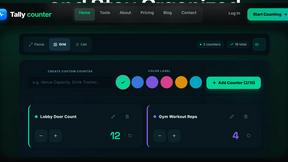
tallycounterweb.com
Tally Counter is a simple online counting tool for tracking attendance, workouts, inventory, sports scores, visitors, and everyday activities.

iHatePosting
Create once, tailor for each platform, and schedule posts across 14 social networks from one simple dashboard.
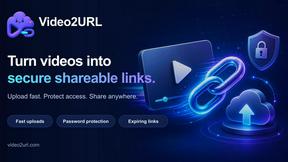
Video2URL
Turn videos, images, and files into secure direct links for sharing, embedding, and automated workflows.

PDFWix
PDFWix is a free online PDF toolkit designed to make everyday PDF tasks simple, fast, and private.
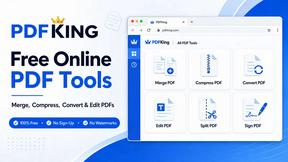
PDFKing
Free online PDF tools to merge, compress, convert, edit, sign, and manage documents—no signup, watermarks, or daily limits.


