

Alternatives to Clean Image
Clean Image removes unwanted marks and objects with in-browser AI, offering brush controls, undo, and a comparison view for photo edits.
Explore 20 alternatives to Clean Image. Compare features, pricing, and find the best fit for your needs.

PhotoboothFree
PhotoboothFree is a browser-based photo booth for making 3- or 4-frame strips and print-ready downloads on a phone, laptop, or webcam.
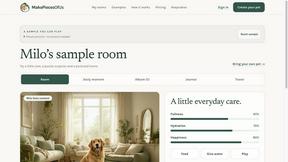
MakePiecesOfUs
MakePiecesOfUs turns a pet photo into a private virtual room with free puzzles, albums and journals, plus optional daily stories and travel.

EveryGen AI
EveryGen AI combines image and video generation with image editing and browser tools for preparing visual assets.
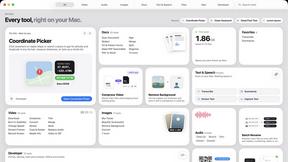
Toolbox for Mac
Toolbox for Mac bundles 102 native tools for video, PDFs, images, audio, files and everyday Mac tasks in one purchase.

RemoveObjectFromPhoto
Remove selected photo distractions with a browser-based AI eraser that supports people, objects, text, and review before download.
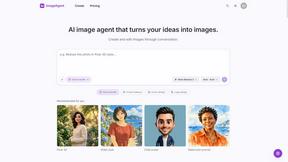
ImageAgent
Create and refine AI images through chat, starting from text or a reference image and iterating in one conversation.
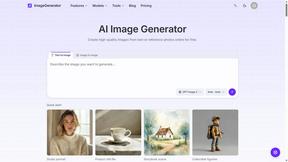
ImageGenerator
Create images from text or references, compare multiple AI models, and refine each result in a private image library.
DreaminaAi
DreaminaAi generates images and short videos from text, with a prompt library and focused image tools for creative workflows.
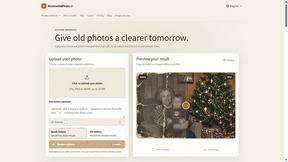
RestoreOldPhoto.ai
RestoreOldPhoto.ai combines photo repair, optional colorization and before-and-after review for people preserving meaningful old images.

CloneWebsite
CloneWebsite captures webpages in Chrome and exports editable local projects for developers and designers who need faithful offline references.
AI Age Filter
Create a labelled AI age progression from an adult portrait using four fixed increments, with a preview to compare against the original.
AppIconGenerator
Turn existing artwork into app icon sets with live previews and browser-side export, with optional credit-based AI artwork generation.

Nano AI
Nano AI brings image and video generation models together in one workbench, with visible credit costs and tools for comparing results.
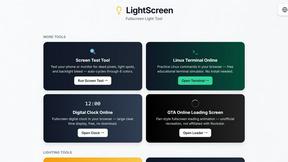
LightScreen
LightScreen provides a browser-based fullscreen light with adjustable brightness, scene colors, and a simple display test.
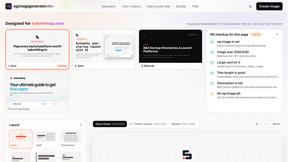
OG Image Generator
Create branded social preview images from any URL with AI, then edit and export them or use a hosted image link.

CADCraft
CADCraft is an open-source 2D CAD editor for drafting, with desktop and browser versions plus command-line tools for automation.
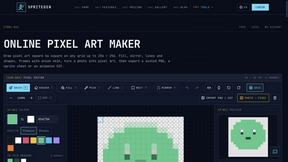
SpriteGen
SpriteGen turns character prompts into animated game sprite sheets, with style and perspective controls and transparent PNG exports for developers.

AI Clothes Changer
Preview a garment on a person's photo in a browser, choosing a single-image result, multiple variations, or prompt-guided generation.
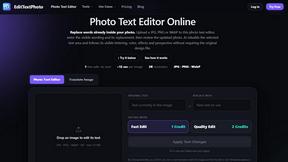
EditTextPhoto
EditTextPhoto replaces existing text in flattened images with AI, for quick updates to photo labels, campaign graphics, and screenshots.

FreeVideoGenerator
FreeVideoGenerator turns text prompts and photos into short AI videos, with model choices and a limited free starter allowance.
About Clean Image Alternatives
The product page names Cleanup.pictures and Magic Eraser as comparison options without describing them. Assess alternatives by checking their supported input formats, selection tools, processing location, and results on the backgrounds you edit.
FAQs about Clean Image Alternatives
Are alternative features described on the page?
No. Cleanup.pictures and Magic Eraser are named, but their features are not detailed.
What should I check before switching tools?
Check file support, selection controls, where processing occurs, and how the tool reconstructs a removed area.