
Subiq
Subiq helps small teams track, manage, and optimize every SaaS subscription to eliminate wasted spend on unused tools.
product Details
Explore More
Alternatives
About Subiq
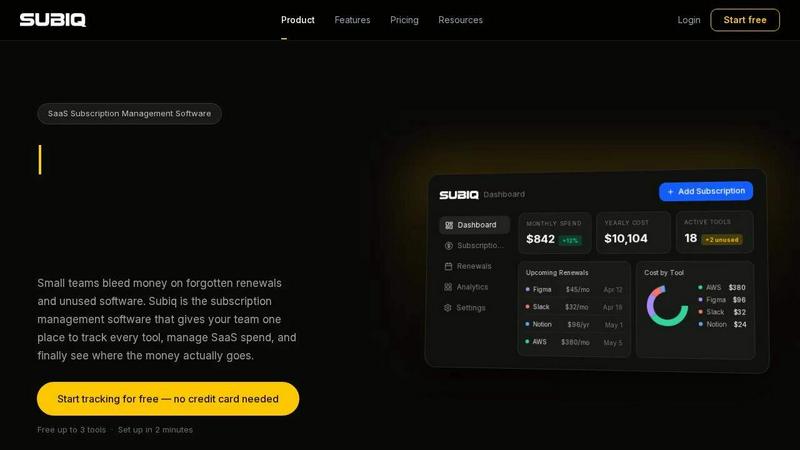
Subiq is a dedicated SaaS subscription management platform designed specifically for small teams that need to gain control over their growing portfolio of software tools. In today's fast-paced business environment, teams frequently add new subscriptions to support their workflows but rarely take the time to review and cancel tools that are no longer needed. This leads to significant financial waste from forgotten renewals, unused licenses, and overlapping tools that drain the budget without providing value. Subiq addresses this problem by providing a centralized dashboard where teams can track every subscription, monitor monthly and yearly spend, and manage renewals proactively. The platform allows users to add their software tools, invite team members, and schedule automated review requests on a monthly or quarterly basis. Team members can then mark each tool as active, unused, or cancelled, giving administrators complete visibility into which subscriptions are actually being used. Subiq calculates potential savings automatically based on this feedback, making it easy to identify and eliminate wasted spend. The platform is built for small teams that lack dedicated procurement departments but still need professional-grade SaaS cost management. With support for tracking up to three tools on the free plan and a simple setup process that takes just two minutes, Subiq makes subscription management accessible to any team looking to stop bleeding money on software they do not need.
Features
Full Spend Dashboard
The full spend dashboard provides an at-a-glance view of your entire SaaS landscape. It displays total monthly spend, yearly cost projections, and a count of active tools alongside any unused subscriptions. Each tool is broken down with its individual cost, allowing you to see exactly where your money is going without needing to maintain complex spreadsheets or formulas. The dashboard updates automatically as you add or modify subscriptions.
Renewal Calendar and Alerts
This feature places every upcoming renewal on a visual timeline, so you never miss a critical payment date again. You can set custom alerts to notify you days or weeks before a charge hits your account. This gives you sufficient time to evaluate whether to cancel, downgrade, or renegotiate a subscription, rather than discovering the charge on your bank statement after it is too late to take action.
Team Invites and Roles
Subiq allows you to invite team members directly from the dashboard, creating a shared source of truth for all subscription data. Each team member can see the tools assigned to them, while administrators have full visibility across the entire organization. This role-based access eliminates the chaos of scattered spreadsheets, inbox messages, and tribal knowledge about who signed up for what.
Automated Review Requests
Scheduling regular check-ins has never been easier. Subiq lets you set up automated review requests that go out to your team on a monthly or quarterly basis. Team members can confirm which tools they actively use with a single click. This process removes the need for chasing people, scheduling meetings, or guessing about software usage, ensuring you always have accurate data on what is truly needed.
Use Cases
Managing SaaS Spend Across a Growing Team
As a small team expands, the number of software subscriptions often grows faster than anyone can track. Different members sign up for different tools, and before long, no one has a complete picture of total spend. Subiq solves this by bringing every subscription into one dashboard, allowing administrators to see monthly and yearly costs instantly, identify duplicate tools, and make informed decisions about where to cut back.
Preventing Costly Auto-Renewal Surprises
Annual subscriptions that auto-renew are a common source of unexpected expenses for small teams. Without proper renewal management, thousands of dollars can be charged before anyone notices, and by then it is too late to cancel or negotiate. Subiq provides timely alerts before each renewal date, giving you the opportunity to review the tool, cancel if necessary, or contact the vendor for a better rate.
Identifying and Eliminating Ghost Seats
Many teams continue paying for software licenses long after employees have stopped using them. This is especially common with per-seat pricing models where unused accounts accumulate quietly. Subiq enables team members to mark tools as unused during automated review cycles. The platform then calculates the potential savings from cutting those dead licenses, making it easy to justify cancellations and recover lost budget.
Centralizing Subscription Ownership and Accountability
When subscription management is left to individual team members, information becomes fragmented across inboxes, spreadsheets, and memory. No single person has a full view of what the team is paying for or why. Subiq creates one shared platform where all subscription data lives. Team members own their tools, administrators oversee everything, and the entire team gains accountability for the software they use and the costs they incur.
Pricing
Subiq offers a free plan that allows you to track up to three tools with no credit card required. The platform can be set up in just two minutes, making it easy to start managing your subscriptions immediately. For teams that need to track more than three tools, Subiq provides paid plans with additional features and higher subscription limits. Specific pricing details for paid tiers are available on the Subiq website.
Frequently Asked Questions
How does Subiq help me save money on SaaS subscriptions?
Subiq helps you save money by providing complete visibility into your software spend and usage. The platform tracks every subscription, sends renewal alerts so you can cancel or renegotiate before charges hit, and facilitates automated team reviews where members flag tools as unused. Subiq then calculates the potential savings from cutting those unused subscriptions, giving you a clear financial incentive to take action.
Is Subiq suitable for teams with a large number of subscriptions?
Yes, Subiq is designed to scale with your team. While the free plan supports tracking up to three tools, paid plans accommodate larger subscription portfolios. The dashboard provides a comprehensive view of all tools, and the automated review features ensure that even as your stack grows, you maintain control over usage and costs without manual effort.
Can I invite my entire team to use Subiq?
Absolutely. Subiq includes team invite and role management features that allow you to add members directly from the dashboard. Each team member can see their own assigned tools, while administrators have full visibility across the organization. This creates a shared source of truth and ensures everyone participates in keeping the subscription data accurate.
How do automated review requests work in Subiq?
You can schedule automated review requests to be sent to your team on a monthly or quarterly basis. When a review is triggered, team members receive a notification asking them to confirm which tools they actively use. They can mark each tool as active, unused, or cancelled with a single click. Subiq then updates your dashboard and recalculates potential savings based on the responses.
Similar to Subiq
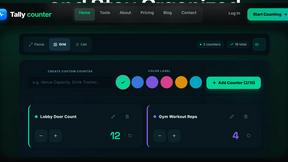
tallycounterweb.com
Tally Counter is a simple online counting tool for tracking attendance, workouts, inventory, sports scores, visitors, and everyday activities.

connect machine
privacy-first, AI-powered contact management platform
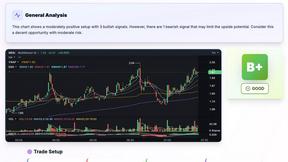
SnapPChart
SnapPChart grades a trading chart screenshot A+ to F, with an entry, stop, targets, and risk/reward. Works on stocks, forex, crypto, futures.
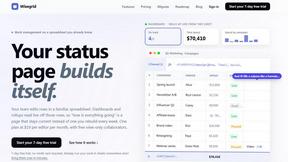
Wisegrid
Wisegrid helps project-driven teams manage projects, workflows, resources, and reporting in a familiar spreadsheet-style workspace with dashboards, au