

RoomCreator
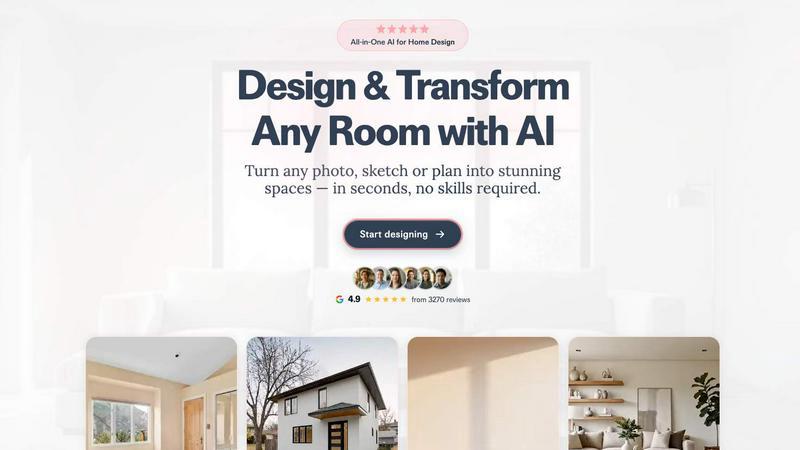
Transform any photo into stunning, realistic designs effortlessly with RoomCreator's powerful AI home design tool.
product Details
Explore More
Alternatives
About RoomCreator
RoomCreator is an innovative AI-powered room design tool that allows homeowners and DIY enthusiasts to visualize their spaces in a matter of seconds. By simply uploading a photo of a room—from kitchens to bedrooms to living areas—users can receive realistic redesign suggestions without any prior design skills. This cutting-edge technology offers smart layout adjustments, new color schemes, and furniture arrangements, making it ideal for quick renovations, small spaces, or testing ideas before committing to purchases. Designed for a broad audience, including homeowners, real estate agents, and individual investors, RoomCreator transforms the design process into an enjoyable and efficient experience. With RoomCreator, users can turn their visions into reality, making informed decisions effortlessly and enhancing the aesthetics and functionality of their spaces.
Features
AI Room Design in Seconds
RoomCreator harnesses the power of artificial intelligence to analyze a single photo of your room and generate stunning redesigns within just 10 seconds. This rapid turnaround allows users to visualize multiple design options quickly, facilitating faster decision-making.
Smart Layouts for Enhanced Functionality
The tool provides intelligent layout suggestions that improve both the flow and function of the space. Users can explore different arrangements to maximize their room's potential, ensuring that it meets their lifestyle needs while maintaining aesthetic appeal.
Instant Visual Changes
With RoomCreator, users can instantly apply new wall colors, flooring, and furniture arrangements to their photos. This feature allows for a hands-on approach to design, enabling users to experiment with different styles and elements before making any actual changes in their physical space.
Realistic 3D Previews
Experience hyper-realistic 3D previews complete with natural lighting effects. This feature helps users visualize how their redesigned space will look in real life, making it easier to assess whether a design choice is right for them.
Use Cases
Homeowners Seeking Redesign
Homeowners can use RoomCreator to visualize how their space could look before they undertake any renovations or redecorations. By experimenting with different styles, layouts, and colors, they can make confident decisions that align with their vision.
Real Estate Agents Enhancing Listings
Real estate agents can leverage RoomCreator to create captivating visuals that help their listings stand out. By transforming empty or outdated spaces into beautifully staged interiors, they attract more potential buyers and elevate the appeal of their properties.
Investors Evaluating Renovation Potential
For individual investors, RoomCreator serves as a valuable tool to evaluate the potential of renovations and showcase future value. They can generate realistic visuals for properties intended for flipping, rentals, or investment presentations without incurring high staging costs.
Designers Testing Concepts
Interior designers can utilize RoomCreator to test design concepts and present ideas to clients. By transforming sketches or early concepts into photorealistic designs, they can communicate their visions more effectively and facilitate collaborative decision-making.
Frequently Asked Questions
How does RoomCreator work?
RoomCreator works by allowing users to upload a photo of their room, after which the AI analyzes the image and generates a variety of redesign options in seconds. Users can select styles and visualize layout changes instantly.
Is there a cost to use RoomCreator?
RoomCreator offers a free trial that includes 10 credits for users to explore its features without requiring a credit card. This allows users to experience the tool before deciding on any paid options.
Can I edit specific areas of my photo?
Yes, RoomCreator includes a precise editing tool that allows users to brush over specific areas of an image. This lets users replace decor or adjust elements without regenerating the entire room, providing full control over the design process.
What types of spaces can I redesign with RoomCreator?
RoomCreator is versatile and supports a wide range of spaces, including living rooms, bedrooms, kitchens, bathrooms, kids' rooms, and even exteriors. Users can visualize their design ideas across various themes and styles.
Similar to RoomCreator

Screen Issues
Free Online Screen Test Tool - Instantly diagnose dead pixels, lines, color issues, and flickering. Multiple test modes, no download needed.

tallycounterweb.com
Tally Counter is a simple online counting tool for tracking attendance, workouts, inventory, sports scores, visitors, and everyday activities.

PDFKing
Free online PDF tools to merge, compress, convert, edit, sign, and manage documents—no signup, watermarks, or daily limits.


Wisegrid
Wisegrid helps project-driven teams manage projects, workflows, resources, and reporting in a familiar spreadsheet-style workspace with dashboards, au