

QUVIAI
QUVIAI empowers users to effortlessly create stunning architectural visuals, videos, and music from simple text prompts.
product Details
Explore More
Alternatives
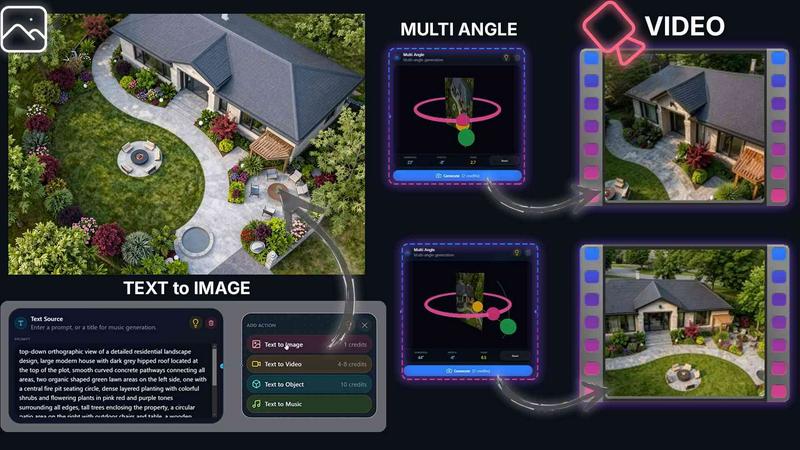
About QUVIAI
QUVIAI is a revolutionary AI-powered creative platform meticulously crafted for architects, designers, and creators seeking to streamline their workflow and enhance their creative outputs. This all-in-one solution allows users to upload sketches, images, or 3D models and effortlessly transform them into stunning photorealistic renders, immersive cinematic videos, multi-angle views, and even original music compositions. The platform's core strength lies in its integrated 3D workspace, enabling users to model, render, and iterate designs without the cumbersome need to switch between multiple tools. By utilizing advanced AI technologies, QUVIAI empowers creators to edit scenes with intuitive text prompts, generate unique furniture and decor objects, and produce captivating cinematic walkthroughs, all from a single interface. Available on web, iOS, and Android, QUVIAI invites users to explore their creativity without limits, making it an indispensable tool for anyone in the creative fields.
Features
AI Image Generation
With QUVIAI's AI image generation feature, users can transform any text prompt or reference image into stunning photorealistic architectural renders in mere seconds. This tool allows for the creation of visuals that are not only innovative but also closely aligned with the user's vision, making the design process faster and more efficient.
AI Video Creation
The AI video creation feature enables users to animate still images, generate detailed walkthroughs, or create cinematic sequences from a single prompt. This capability ensures that designers can convey their concepts through dynamic video presentations, enhancing client engagement and project demonstrations.
Multi Angle
The multi-angle feature allows users to generate multiple architectural viewpoints from a single source image. This functionality provides richer, presentation-ready perspective sets, making it easier for architects and designers to showcase their work from various angles, thus improving client understanding and feedback.
Object Staging
QUVIAI's object staging feature facilitates the placement of generated 3D objects into scene backgrounds. This tool ensures polished compositions with consistent lighting, allowing users to create visually appealing and realistic environments that enhance the overall presentation of their designs.
Use Cases
Architectural Presentations
Architects can utilize QUVIAI to create high-quality architectural renders and videos for client presentations. The platform's capabilities allow for the quick generation of compelling visuals that effectively communicate design intent and project scope.
Interior Design Mockups
Interior designers can leverage the AI image generation and object staging features to create detailed mockups of interior spaces. By visualizing different layouts and decor options, designers can provide clients with a clearer vision of the finished product.
Marketing and Advertising
Marketing professionals in the architectural field can use QUVIAI to produce eye-catching promotional materials. The ability to generate stunning renders and videos quickly allows for engaging campaigns that attract potential clients and showcase architectural prowess.
Educational Purposes
Educators in architecture and design programs can integrate QUVIAI into their curriculum. By using this platform, students can learn about design principles and visualization techniques while experimenting with real-time rendering and video creation tools.
Frequently Asked Questions
What types of files can I upload to QUVIAI?
You can upload sketches, images, or 3D models to QUVIAI. The platform supports various file formats, allowing for a versatile approach to design and rendering.
Is QUVIAI suitable for beginners in design?
Yes, QUVIAI is designed to be user-friendly, making it accessible for beginners while still offering advanced features for experienced professionals. The intuitive interface and guided prompts facilitate an easy learning curve.
Can I collaborate with others on QUVIAI?
Yes, QUVIAI supports collaborative workflows, allowing multiple users to work on projects simultaneously. This feature is particularly useful for design teams and client collaborations.
What devices can I use to access QUVIAI?
QUVIAI is available on web, iOS, and Android platforms. This cross-device compatibility ensures that you can access and work on your projects from anywhere, at any time.
Similar to QUVIAI
AnimeWall
Free AI anime wallpaper generator. Create original HD anime wallpapers and avatars from text prompts.
Artaivo
Create AI videos, images, avatars, and audio in one creative workspace.
Vismuse
Create polished AI images and videos from prompts or references for social posts, ads, flyers, album covers, and campaigns.

PerchanceAI
PerchanceAI is an AI creative studio for image generation, editing, background removal, product photos, and image-to-video creation.
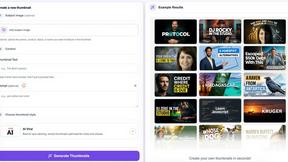
StopScroll
AI YouTube thumbnail maker that helps creators generate high-click thumbnails faster.
NanoScene AI
NanoScene AI ensures character consistency across all scenes while generating, editing, and upscaling AI images from prompts in seconds.
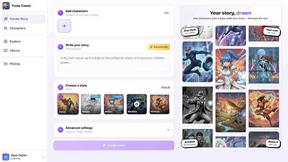
Yume Comic
Yume Comic is an AI-powered tool that transforms your text prompts into consistent-character manga, manhwa, webtoon, and comic strip pages in minutes.
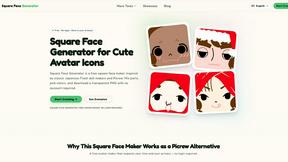
Square Face Generator
Square Face Generator is a free browser-based avatar maker inspired by classic Japanese doll creators, allowing you to mix parts and colors to create.