

product Details
Explore More
Alternatives

About Push My App
Push My App is an all-in-one platform designed specifically for indie developers and small studios who want to streamline the process of preparing, optimizing, and submitting app listings to both the Apple App Store and Google Play Store. The core value proposition is simple: what traditionally takes days of manual effort can now be accomplished in a single afternoon. The platform eliminates the launch-week grind by automating the most tedious and error-prone aspects of app store submissions. It uses artificial intelligence to generate search-optimized metadata, including app names, keywords, descriptions, and release notes, all tailored for App Store Optimization (ASO). Beyond content creation, Push My App provides a Pre-Flight Rejection Scanner that checks your build and listing against over 80 known rejection reasons from Apple and Google, helping you avoid costly delays. The platform also handles asset management by resizing screenshots into every required device size automatically and translating your full listing into 14 languages with keywords re-optimized per locale. Developers can simply drop their .ipa, .apk, or .aab file, and the system extracts the bundle ID, version, and icon, validates compliance, and submits directly to App Store Connect and Google Play with one click. Additional features include generating a website and a support mailbox for your app using the metadata and screenshots. Built for developers who would rather be coding than wrestling with submission paperwork, Push My App turns a week of listing busywork into a single confident submission.
Features
AI-Generated ASO Metadata
This feature uses artificial intelligence to generate your app name, subtitle, keywords, description, and release notes in seconds, not afternoons. The metadata is optimized for discoverability on both the App Store and Play Store, with scoring that shows you how well your title, keywords, and subtitle are performing against best practices. The AI analyzes your app and competition to produce high-conversion text that helps users find your app organically. You can review, edit, and approve the generated content before submission, ensuring you maintain creative control while saving hours of manual writing and research.
Pre-Flight Rejection Scanner
Before you submit your app to Apple or Google, this tool scans your build and listing against a database of over 80 known rejection reasons. It identifies potential blockers such as missing privacy manifests, incorrect metadata, or compliance issues that commonly cause apps to be rejected. The scanner provides a clear score for both App Store and Play Store readiness, highlighting specific areas that need attention. This proactive approach saves developers from the frustration of waiting days for a rejection notice and then having to fix and resubmit, effectively cutting the iteration cycle by addressing problems before they reach the review teams.
Screenshot Resizer and Asset Manager
Upload one set of screenshots for your app, and the platform automatically generates every required device size for both Apple and Google stores. This eliminates the tedious manual work of resizing and cropping images for different screen dimensions, such as iPhone, iPad, and various Android devices. The tool also handles app icons and feature graphics, resizing and cropping them for every required specification. Additionally, you can apply device frames and dynamic marketing text overlays to make your screenshots more engaging, all within the same dashboard.
App Translator with Re-Optimized Keywords
This feature translates your full app store listing into 14 languages, including Spanish, German, French, Japanese, Portuguese, and more. Crucially, the translation goes beyond simple word-for-word conversion. The platform re-optimizes your keywords for each specific locale, ensuring that your app remains discoverable in different markets. This is vital because search terms that work well in English may not be effective in other languages. By handling both translation and keyword optimization, Push My App helps you reach a global audience without needing to hire translators or ASO specialists for each region.
Use Cases
Indie Developer Launching a New App
An independent developer who has just finished coding their first app can use Push My App to avoid the overwhelming and time-consuming process of preparing a store listing. Instead of spending days researching keywords, writing descriptions, and resizing screenshots manually, the developer can upload their app file and let the AI generate optimized metadata and assets in minutes. The Pre-Flight Rejection Scanner then checks for common mistakes that first-time submitters often miss, such as missing privacy policies or incorrect bundle IDs. This use case dramatically reduces the time from code completion to live on the store, allowing the developer to focus on improving the app rather than wrestling with submission bureaucracy.
Small Studio Managing Multiple App Versions
A small studio that maintains several apps across both iOS and Android platforms can use Push My App as a central command center. The App Profile Page shows all versions, metadata, and submission status for each app side by side. When releasing an update, the studio can quickly generate new release notes, update screenshots, and scan for rejection risks across all their apps. The direct submission feature allows them to push updates to both stores with one click, and the automatic version history tracking eliminates the need for manual spreadsheets. This streamlines the entire release management process, enabling the studio to ship updates more frequently and with greater confidence.
Developer Preparing for a Major App Update
When a developer has a significant update with new features, they need to refresh their store listing to reflect the changes. Push My App allows them to quickly generate new descriptions, keywords, and release notes that highlight the updated functionality. The screenshot resizer lets them capture new screenshots on one device and instantly have them ready for all required sizes. The translation feature ensures that the update messaging reaches international users in their native languages. Before submitting, the Pre-Flight Scanner checks if any new features or permissions in the update might trigger a rejection, such as requiring a privacy manifest for new data collection. This use case ensures that major updates are launched smoothly and effectively.
Freelance Developer Submitting for a Client
A freelance developer building an app for a client can use Push My App to present a professional, polished submission package without spending excessive billable hours on store listing tasks. The developer can generate the entire listing, including a website and support mailbox, and then share a preview with the client for approval before submitting. The side-by-side diff against the last submission helps track changes and provides transparency. The one-click submission and automatic status tracking allow the developer to keep the client informed without manual updates. This use case helps freelancers deliver a complete, high-quality service while keeping project costs predictable and timelines short.
Pricing
Push My App offers a free Starter plan with no credit card required, allowing you to begin using the platform immediately. For users who need more advanced features, there is a 30-day free trial of the Growth plan. The platform also provides free individual tools that can be used without an account. For specific pricing details on paid plans beyond the trial, you should visit the Push My App website's pricing page, as the available context does not include exact dollar amounts for each tier.
Frequently Asked Questions
What file types does Push My App support for direct submission?
Push My App supports .ipa files for iOS submissions to the App Store and .apk or .aab files for Android submissions to the Google Play Store. When you drop your file into the platform, it automatically extracts the bundle ID, version number, and app icon. The system then validates compliance with store requirements before allowing you to submit. This file-based approach works seamlessly with development tools like Xcode, Android Studio, Expo, and Fastlane, as well as CI/CD pipelines such as GitHub Actions.
How does the Pre-Flight Rejection Scanner work?
The Pre-Flight Rejection Scanner analyzes both your app binary and your store listing against a database of over 80 known rejection reasons from Apple and Google. It checks for common issues such as missing privacy manifests, incorrect metadata, broken links, placeholder text, and compliance violations. The scanner provides a readiness score for each store, highlighting specific blockers that need to be addressed. This allows you to fix problems before you submit, saving the time and frustration of a rejection cycle that can take days to resolve.
Can I translate my app listing into languages other than the 14 provided?
The platform currently supports 14 languages for full listing translation with keyword re-optimization per locale. The included languages are English, Spanish, German, French, Japanese, Portuguese, and eight additional languages. If you need a language not currently supported, you would need to handle that translation separately. However, for the vast majority of global app launches, these 14 languages cover the most significant markets. The keyword re-optimization for each locale is a key differentiator, as it ensures your app remains discoverable in each target market.
Is there a free trial available and do I need a credit card to start?
Yes, Push My App offers a free Starter plan that does not require a credit card. This allows you to explore the platform and test its core features without any financial commitment. For users who want to fully evaluate the platform, there is a 30-day Growth trial that provides access to more advanced features. The free tools section also offers individual utilities, such as a keyword generator or rejection scanner, that you can use without even creating an account, making it easy to try the technology before deciding to subscribe.
Similar to Push My App
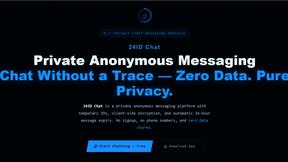
24IDChat
Private, anonymous messaging with zero signups or phone numbers. Features client-side ECDH & AES-256-GCM encryption, 24-hour auto-expiring IDs.
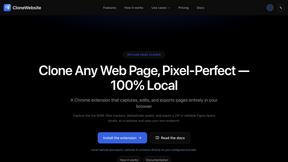
CloneWebsite
Clone any webpage pixel-perfect, export HTML/CSS/ZIP or React/Vue components.
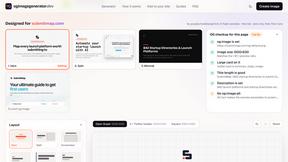
ogimagegenerator.dev
Paste a URL and AI designs on-brand Open Graph images from your page's colours, fonts and logo. Free, no sign-up.
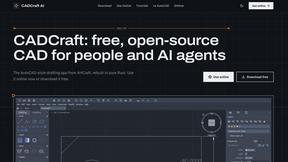
CADCraft
Free, open-source 2D CAD in Rust with layers, precision tools, and AI-ready MCP, JSON, and CLI automation.
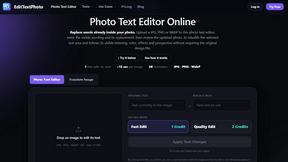
EditTextPhoto
AI-powered image text editor to edit, replace, fix, or translate text in images while preserving the original font, color, size, and style.