

MPulse CMMS Software
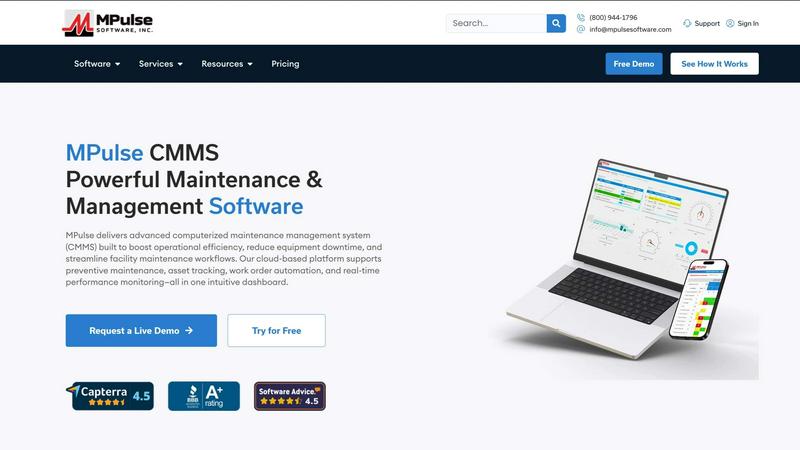
MPulse CMMS is a powerful maintenance and asset management platform that reduces downtime and streamlines workflows for over 3,500 customers.
product Details
Explore More
Alternatives
About MPulse CMMS Software
MPulse is a robust and versatile Computerized Maintenance Management System (CMMS) designed to transform how maintenance teams operate. Trusted by over 3,500 customers globally, including industry leaders like IKEA, Penn State, Northwell Health, and Reed College, MPulse provides a centralized platform for managing work orders, scheduling preventive maintenance, tracking assets, and controlling parts inventory. The software is built on Microsoft .NET, ensuring enterprise-grade scalability and reliability. It serves a wide array of industries, including manufacturing, healthcare, education, retail, distribution, and facilities management. What sets MPulse apart is its flexible deployment options, allowing organizations to choose between a cloud-hosted solution or a self-hosted on-premise installation. Its unique concurrent user pricing model can save mid-sized teams 30-50% compared to traditional per-user licensing. Furthermore, MPulse offers a mobile CMMS that functions offline and syncs data when reconnected, ensuring field technicians remain productive regardless of connectivity. The platform also features DataLink integration, which enables direct connections to PLCs, ERPs, and IoT devices without requiring IT support. With a 90% annual renewal rate and industry recognition from Capterra and Software Advice, MPulse is a proven solution for reducing equipment downtime, improving asset performance, and streamlining maintenance operations.
Features
Work Order Management
MPulse provides a comprehensive work order management system that allows maintenance teams to create, assign, track, and close work orders with ease. Users can quickly report breakdowns and respond to them in real time, ensuring minimal disruption to operations. The system automates the workflow, sending notifications and updates to relevant personnel, and maintains a complete history of all work performed for compliance and reporting purposes.
Preventive Maintenance Scheduling
The platform excels at automating and enforcing planned maintenance schedules. Users can set up recurring tasks based on calendar dates, meter readings, or usage triggers. MPulse automatically generates work orders when maintenance is due, helping teams shift from reactive repairs to proactive upkeep, which significantly reduces unexpected equipment failures and extends asset lifespan.
Asset Tracking and Management
MPulse offers robust asset tracking capabilities, allowing organizations to maintain a detailed, searchable database of all equipment and facilities. Each asset record can include specifications, warranty information, service history, and associated documentation. This centralized view helps teams monitor asset performance, calculate total cost of ownership, and make informed decisions about repairs or replacements.
Real-Time Performance Monitoring
The software includes real-time monitor boards and analytics dashboards that provide instant visibility into maintenance operations. Users can track key performance indicators such as work order completion rates, downtime trends, and technician productivity. These insights help facility managers identify bottlenecks, optimize resource allocation, and demonstrate the value of their maintenance programs to stakeholders.
Mobile CMMS with Offline Capability
MPulse offers a powerful mobile application that works even without an internet connection. Technicians in the field can access work orders, update asset information, and log time and parts usage while offline. Once a connection is reestablished, the app automatically syncs all data with the central system, ensuring information is always current and eliminating data entry delays.
DataLink Integration Platform
MPulse DataLink is a unique integration tool that allows the CMMS to connect directly with a wide range of external systems, including PLCs, ERPs, building management systems, and IoT sensors. This integration happens without the need for specialized IT support, enabling automatic work order generation based on sensor alerts or production data, creating a truly connected maintenance ecosystem.
Use Cases
Manufacturing Facility Maintenance
In a manufacturing environment, MPulse helps maintenance teams manage complex production equipment. The system can automatically trigger work orders when a PLC signals a temperature spike or vibration anomaly, enabling technicians to address issues before they cause a line stoppage. The platform also tracks spare parts inventory, ensuring critical components are always available for repairs.
Healthcare Facility Management
Hospitals and healthcare facilities rely on MPulse to maintain critical life safety equipment, HVAC systems, and building infrastructure. The software helps enforce strict regulatory compliance by documenting all maintenance activities and generating audit-ready reports. It also manages work orders for patient room repairs and equipment calibrations, ensuring a safe and comfortable environment for patients and staff.
Educational Institution Operations
Universities and school districts use MPulse to manage the maintenance of multiple buildings across a campus. The system handles everything from classroom HVAC repairs to stadium lighting maintenance. With mobile access, custodial and maintenance staff can quickly report issues found during their rounds, and the centralized dashboard allows facility directors to prioritize work and manage budgets effectively.
Retail and Distribution Center Management
For retail chains and distribution centers, MPulse is essential for maintaining material handling equipment, conveyor systems, and facility infrastructure. The platform helps reduce stockouts by ensuring that critical equipment like forklifts and sortation systems are operating reliably. It also manages work orders for store maintenance, helping to maintain a consistent brand experience across all locations.
Frequently Asked Questions
What deployment options does MPulse offer?
MPulse offers two flexible deployment options to suit different organizational needs. You can choose a cloud-hosted solution where MPulse manages the servers and infrastructure, providing easy access from any internet-connected device. Alternatively, you can opt for a self-hosted on-premise installation, which gives you full control over your data and system configuration within your own IT environment.
How does MPulse pricing work and what makes it different?
MPulse uses a concurrent user pricing model, which is different from the per-user licensing used by many other CMMS providers. With concurrent licensing, you purchase a set number of licenses that can be shared among a larger pool of users who do not all need to access the system simultaneously. This model can save mid-sized teams 30-50% compared to traditional per-user models. Additionally, customers can choose between an annual subscription or a perpetual license purchase.
Can MPulse integrate with our existing ERP or IoT systems?
Yes, MPulse offers DataLink, a powerful integration platform that connects the CMMS to a wide variety of external systems, including ERPs, PLCs, building management systems, and IoT sensors. A key advantage of DataLink is that it is designed to be user-friendly and does not require specialized IT support to set up and maintain, making it accessible for maintenance managers and engineers.
Does the mobile app work without an internet connection?
Absolutely. The MPulse mobile CMMS is designed with full offline functionality. Technicians can download their assigned work orders, update asset information, log time and parts usage, and even capture photos while working in areas with no connectivity. Once they return to an area with service, the app automatically syncs all changes with the central database, ensuring data integrity and workflow continuity.
Similar to MPulse CMMS Software
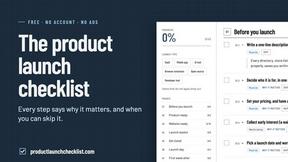
Product Launch Checklist
A free launch checklist for SaaS, apps, AI tools and more. Every step says why it matters and when you can skip it.
Kody Tools
Free collection of online developer utilities, code formatters, and digital converters designed to streamline your daily workflow.
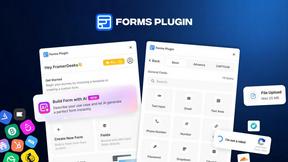
Forms Plugin
The #1 Native Form Builder Plugin for Framer - No Code, No Embeds, No External Platforms.

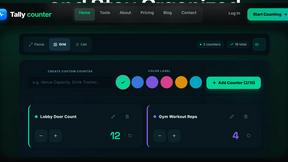
tallycounterweb.com
Tally Counter is a simple online counting tool for tracking attendance, workouts, inventory, sports scores, visitors, and everyday activities.

iHatePosting
Create once, tailor for each platform, and schedule posts across 14 social networks from one simple dashboard.

Video2URL
Turn videos, images, and files into secure direct links for sharing, embedding, and automated workflows.
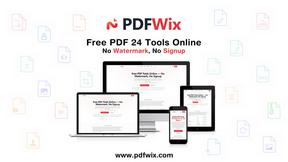
PDFWix
PDFWix is a free online PDF toolkit designed to make everyday PDF tasks simple, fast, and private.