

JustPDF
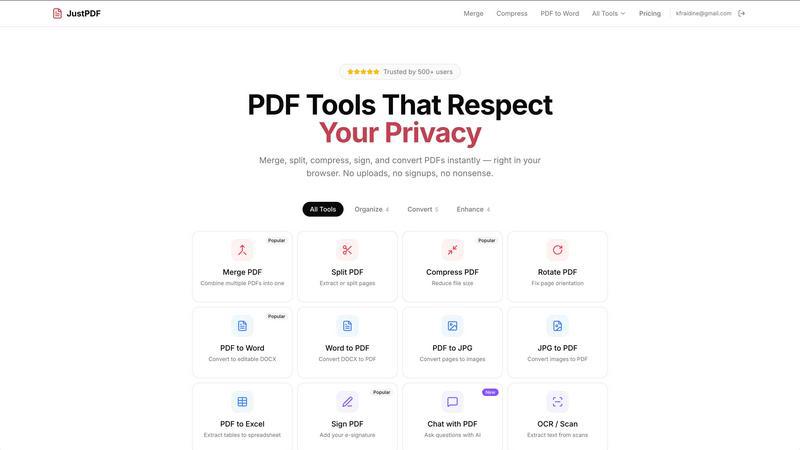
JustPDF is a privacy-first, browser-based toolkit offering 17 free tools to edit and convert PDFs without uploading your files.
product Details
Explore More
Alternatives
About JustPDF
JustPDF is a comprehensive, privacy-first suite of PDF tools that operates entirely within your web browser. It provides 17 professional-grade utilities for managing, converting, editing, and securing PDF documents. The platform's core value proposition and differentiator is its commitment to user privacy and security. Unlike competing online services like Smallpdf or iLovePDF, which require uploading files to remote servers, JustPDF leverages advanced JavaScript and WebAssembly technology to process all files locally on the user's device. This means your sensitive documents, whether they are contracts, tax forms, academic papers, or personal records, never leave your computer. Users can verify this by checking the Network tab in their browser's Developer Tools and confirming no external uploads occur. Designed for professionals, students, and anyone who handles PDFs regularly, JustPDF offers a seamless experience with no mandatory account creation for its free tier, which allows 3 operations per day. For power users, an affordable Pro plan provides unlimited access. Its architecture also makes it FERPA-compliant, making it a trusted choice for educational institutions and students handling protected information.
Features
100% Browser-Based Processing
This is the foundational feature of JustPDF. All PDF operations, from merging and compressing to converting and AI chatting, are executed directly within the user's browser using client-side JavaScript and WebAssembly. Files are processed in memory and never transmitted over the internet to external servers. This ensures maximum privacy, security, and often faster processing times as there is no upload/download latency for the file data itself. It also means the core tools can function without an active internet connection after the initial page load.
Comprehensive PDF Tool Suite
JustPDF consolidates 17 essential PDF functions into one accessible platform. This includes standard organizational tools like Merge, Split, Compress, Rotate, and Unlock. It also features robust conversion capabilities to and from formats like Microsoft Word, JPG, and Excel. Unique tools include flattening PDFs for secure distribution, converting modern image formats (WebP, HEIC) to PDF, applying grayscale, adding e-signatures, and performing OCR to make scanned documents searchable and editable.
AI-Powered Chat with PDF
This innovative feature integrates artificial intelligence to interact with the content of your PDF documents. Users can upload a PDF and ask natural language questions about its content. The AI will analyze the text within the document and provide immediate answers, summaries, or insights. This is particularly valuable for quickly extracting key information from long reports, research papers, or contracts without manually scanning through every page.
No-Account Free Tier & Offline Capability
JustPDF prioritizes accessibility and convenience. Users can immediately access and use the tools without creating an account, lowering the barrier to entry. The free tier offers 3 operations per day. Furthermore, because the processing engine runs in the browser, most core functionalities remain available even without an internet connection after the web app is loaded, providing reliable utility in various scenarios.
Use Cases
Handling Sensitive Business Documents
Professionals dealing with confidential contracts, financial reports, or legal filings can use JustPDF to compress, merge, or convert these documents without ever risking exposure on a third-party server. The local processing guarantees that proprietary information remains secure on the user's device, which is crucial for compliance and client confidentiality in fields like law, finance, and consulting.
Academic and Student Work
Students, researchers, and educators often work with PDFs containing personal data, graded assignments, and research. JustPDF's FERPA-compliant, local processing model makes it ideal for merging research papers, compressing lecture slide files, converting submissions to PDF, or using the Chat with PDF AI feature to quickly analyze academic articles. The privacy assurance protects student educational records.
Efficient Document Preparation for Sharing
Before sending a PDF via email or uploading it to a portal, users often need to prepare it. JustPDF allows for quick compression to reduce file size for email limits, rotating incorrectly oriented pages, flattening forms to prevent alteration, or signing documents electronically. All this can be done rapidly and privately directly from a web browser without installing software.
Digitizing and Organizing Personal Records
Individuals can use JustPDF to manage personal documents. This includes converting photos of receipts or letters (JPG, HEIC) into PDFs for archiving, combining multiple scanned documents into a single file, using OCR to make old scanned contracts text-searchable, or converting PDF statements to Excel for personal finance analysis—all while keeping personal data completely private.
Pricing
JustPDF operates on a freemium pricing model. The service offers a robust free tier that requires no account sign-up and provides users with 3 free operations per day across all tools, with no watermarks added to output files. For users with greater needs, the Pro subscription plan is available starting at $4 per month. This plan grants unlimited access to all 17 PDF tools, removing the daily operation limit and providing full, unrestricted functionality for merging, converting, compressing, and using AI features.
Frequently Asked Questions
How does JustPDF ensure my files are private?
JustPDF ensures privacy by processing all files entirely within your web browser. The application uses JavaScript and WebAssembly code to perform all operations (merging, converting, compressing, etc.) locally on your computer. Your file data is never uploaded to any external server. You can confirm this by opening your browser's Developer Tools (F12), navigating to the Network tab, and performing an operation; you will see no external network requests containing your file data.
What is the difference between the free and Pro plans?
The free plan allows users to perform 3 total operations per day across all tools without requiring an account or subscription. Processed files are free of watermarks. The Pro plan, starting at $4 per month, provides unlimited access to all 17 tools without any daily restrictions. It is designed for users with regular, high-volume PDF processing needs who require consistent, uninterrupted access.
Can I use JustPDF without an internet connection?
Yes, for core PDF processing functions. Since the tools run on client-side technology in your browser, once the JustPDF website is loaded, you can perform operations like merge, split, compress, and convert without an active internet connection. The initial page load and certain features like the AI Chat may require connectivity, but the primary tools are designed to work offline.
What does "FERPA-compliant" mean for JustPDF?
FERPA (Family Educational Rights and Privacy Act) is a US federal law that protects the privacy of student education records. JustPDF's architecture is FERPA-compliant because student documents processed through its tools never leave the user's local device or get stored on external servers. This makes it a secure and permissible tool for educators, administrators, and students to use when handling protected academic records and assignments.
Similar to JustPDF
ButterShare
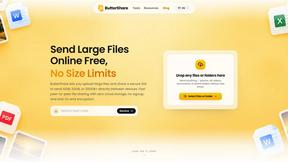
ButterShare is a browser-based peer-to-peer file transfer tool that lets you send large files and folders directly between devices without signup or c
AI Email Filter
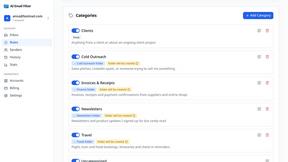
AI Email Filter sorts incoming mail into folders using plain-language prompts you write. Works with any IMAP mailbox; bring your own LLM if you want.

Product Launch Checklist
A free launch checklist for SaaS, apps, AI tools and more. Every step says why it matters and when you can skip it.
Kody Tools
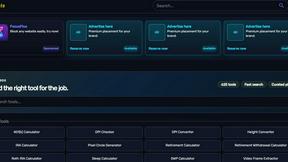
Free collection of online developer utilities, code formatters, and digital converters designed to streamline your daily workflow.
Forms Plugin
The #1 Native Form Builder Plugin for Framer - No Code, No Embeds, No External Platforms.


tallycounterweb.com
Tally Counter is a simple online counting tool for tracking attendance, workouts, inventory, sports scores, visitors, and everyday activities.

iHatePosting
Create once, tailor for each platform, and schedule posts across 14 social networks from one simple dashboard.