

Alternatives to QuickTextTools
QuickTextTools provides over 76 free, browser-based utilities for writers and creators to process and optimize text instantly without any sign-up.
Explore 20 alternatives to QuickTextTools. Compare features, pricing, and find the best fit for your needs.

ButterShare
ButterShare is a browser-based peer-to-peer file transfer tool that lets you send large files and folders directly between devices without signup or c

AI Email Filter
AI Email Filter sorts incoming mail into folders using plain-language prompts you write. Works with any IMAP mailbox; bring your own LLM if you want.

Product Launch Checklist
A free launch checklist for SaaS, apps, AI tools and more. Every step says why it matters and when you can skip it.

Kody Tools
Free collection of online developer utilities, code formatters, and digital converters designed to streamline your daily workflow.
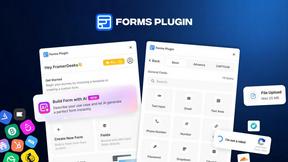
Forms Plugin
The #1 Native Form Builder Plugin for Framer - No Code, No Embeds, No External Platforms.


tallycounterweb.com
Tally Counter is a simple online counting tool for tracking attendance, workouts, inventory, sports scores, visitors, and everyday activities.

iHatePosting
Create once, tailor for each platform, and schedule posts across 14 social networks from one simple dashboard.

Video2URL
Turn videos, images, and files into secure direct links for sharing, embedding, and automated workflows.
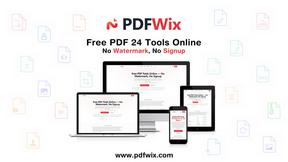
PDFWix
PDFWix is a free online PDF toolkit designed to make everyday PDF tasks simple, fast, and private.
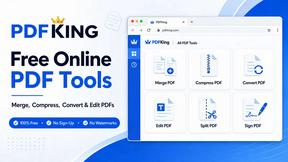
PDFKing
Free online PDF tools to merge, compress, convert, edit, sign, and manage documents—no signup, watermarks, or daily limits.



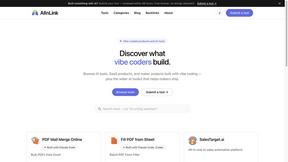
AIInLink
It offers a directory of innovative AI solutions and useful resources, helping makers ship their projects and users find cutting-edge AI applications.
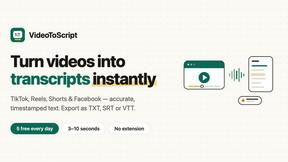
VideoToScript
Turn TikTok, Reels, Shorts, Facebook videos, audio, and video into accurate timestamped transcripts with TXT, SRT, and VTT exports.

Screen Beaver
Create product videos manually or let your AI agent control Screen Beaver through MCP—no mouse or keyboard needed.
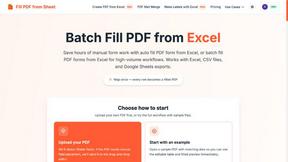
Fill PDF from Sheet
Fill PDF from Sheet automates the process of populating PDF forms from data in Excel, CSV, or Google Sheets.

About QuickTextTools Alternatives
QuickTextTools is a free, browser-based online platform that falls under the Productivity & Management category, offering over 76 utilities specifically designed for writers, marketers, SEO professionals, and content creators. Users commonly look for alternatives to QuickTextTools for several reasons, including the need for more advanced or specialized features that a general toolkit might not cover, such as deep integration with other software platforms or more robust data analysis capabilities. Others may seek alternatives due to specific pricing models, platform limitations like offline access, or the desire for a more tailored toolset that focuses exclusively on a single task, such as advanced keyword research or comprehensive grammar checking. When evaluating an alternative to QuickTextTools, it is essential to consider the specific nature of your workflow and the types of tasks you perform most frequently. Look for a solution that offers a comparable or superior range of utilities without sacrificing ease of use, and prioritize platforms that maintain a strong focus on user privacy and data security, especially if you handle sensitive content. Additionally, assess the tool’s performance in terms of speed and reliability, as well as its compatibility with your existing browser and operating system, to ensure a seamless transition and continued productivity without the need for complicated setups or software downloads.
FAQs about QuickTextTools Alternatives
What is QuickTextTools?
QuickTextTools is a free, user-friendly online platform that provides access to over 76 browser-based utilities designed to enhance productivity for writers, marketers, developers, students, SEO professionals, and content creators. It offers a comprehensive toolkit including text formatting tools, SEO analysis utilities, writing assistants, keyword management tools, and developer utilities. The platform operates entirely in your browser, eliminating the need for software downloads or complicated setups, and focuses on delivering fast, privacy-focused solutions.
Who is QuickTextTools for?
QuickTextTools is designed for a wide range of users including writers, marketers, developers, students, SEO professionals, and content creators who need to optimize text and manage content efficiently. It is particularly useful for individuals who regularly handle tasks like cleaning up keyword lists, analyzing SEO meta tags, converting text case formatting, or improving their writing process. The platform aims to simplify workflows and save time for anyone looking to work smarter with text-based content.
Is QuickTextTools free?
Yes, QuickTextTools is completely free to use. The platform offers all of its 76+ online utilities without any cost to the user, making it an accessible resource for individuals and professionals on a budget. There are no hidden fees or subscription requirements, allowing users to leverage the full set of tools for productivity and text optimization without financial commitment.
What are the main features of QuickTextTools?
QuickTextTools features over 76 free online utilities categorized into text formatting tools, SEO analysis utilities, writing assistants, keyword management tools, and developer utilities. Key capabilities include cleaning up messy keyword lists, analyzing SEO meta tags, converting text case formatting, and improving the overall writing process. All tools are browser-based, fast, easy to use, and designed with a strong emphasis on user privacy and security, ensuring a hassle-free experience.